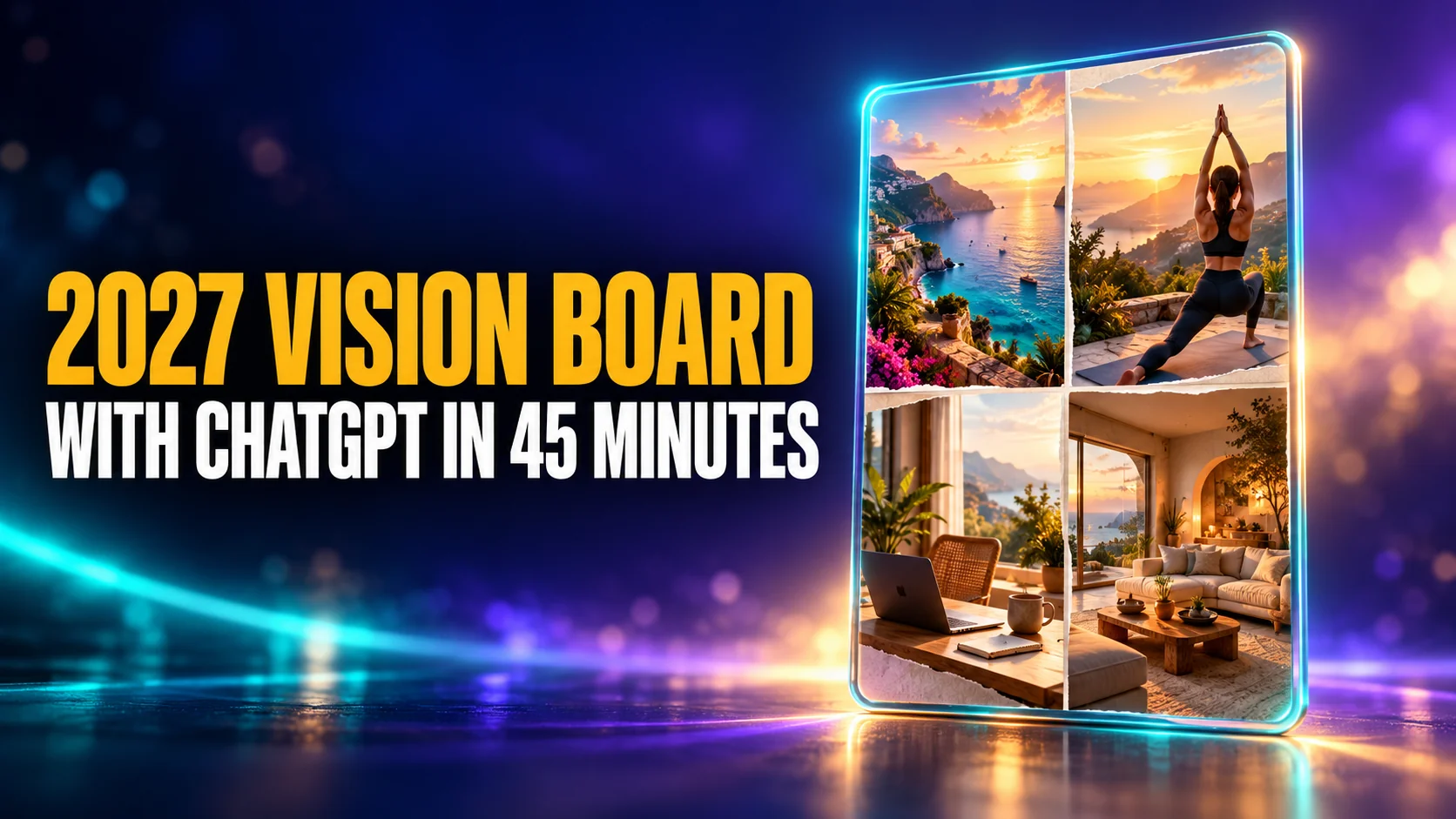
You can make a personal 2027 vision board in about 45 minutes with ChatGPT. It interviews you about your goals, generates the images itself on every plan including Free, and you assemble the result in a free design tool like Canva or Google Slides. The finished board is a phone wallpaper or a printout, tied to a concrete weekly action plan.
The Key Takeaways
- ChatGPT makes the images itself. ChatGPT Images is available on every plan, Free included, and has an aspect ratio picker, so you can ask for a tall phone wallpaper directly.
- DALL·E is gone from ChatGPT. OpenAI retired the DALL·E GPT, so guides that tell you to pick DALL·E 3 or ask for 1024×1792 are out of date.
- Free alternative: Bing Image Creator is free with a Microsoft account, runs Microsoft's own MAI-Image models and offers a 2:3 vertical shape.
- Size to your screen: the iPhone 17 and iPhone 18 Pro are 1206×2622 pixels and the iPhone 18 Pro Max is 1320×2868.
- The plan matters more than the pictures. Attach one If-Then habit to every image, or the board turns into wallpaper you stop seeing.
Fast Answer: The 9-Step AI Vision Board Process
Definition: An AI vision board is a digital collection of personalized images generated by AI (based on your deep goals) and assembled into a layout that fits your devices.
- Define: Ask ChatGPT to interview your “Future Self” (10 mins).
- Extract: Identify 3-5 core “pillars” (e.g., Calm Leadership, Marathon Ready).
- Prompt: Use the specific formula to generate custom images for each pillar.
- Iterate: Refine visuals until they trigger an emotional response.
- Plan: Write one “If-Then” habit for each image.
- Select: Choose a layout tool (Canva for design, Google Slides for print).
- Assemble: Arrange images in a grid or collage.
- Export: Save as specific wallpaper size (e.g., tall portrait for phone).
- Review: Set as lock screen and schedule a weekly check-in.
Time Needed: 30–45 minutes Tools: ChatGPT or Fello AI (Ideation/Images), Canva/Google Slides (Assembly)
What is an AI Vision Board?
An AI vision board is a digital collection of images and affirmations created with the help of artificial intelligence to represent your ideal future. Unlike the old-school method of glue and paper, this approach helps you define your goals first through conversation and introspection. The quality of your board comes down to the prompts you give the AI, so it helps to browse our library of AI prompts first.
The New Year usually brings a rush of motivation that fades by February because we often set goals based on what we think we should want, rather than what truly drives us. Traditional vision boards made from magazine cutouts are fun to make, but they often lack personal meaning. You might paste a picture of a generic sports car, but if that image doesn’t trigger a visceral emotional response, it becomes “wallpaper blindness.”
The “AI” component acts as an accountability partner. Instead of letting you put “get fit” on the board, the AI will ask, “What does ‘fit’ look like to you? Is it running a marathon, or is it lifting your grandchildren?” This specificity is what drives results.
The Key Benefits
- Speed: Finish in under an hour, compared to hours hunting for magazines.
- Precision: Generate images that look exactly how you feel, not just what’s on stock photo sites.
- Structure: Organize messy thoughts into a trackable list of priorities.
Step 1: Brainstorming With Chat (The Interview)
The first step does not involve any pictures. You need to open a chat window and treat the AI like a professional life coach. If you skip this part, your board will look nice but lack the deep meaning required to sustain motivation.
Prompt Card: Future Self Interview
Use this prompt to uncover your true drivers.
Copy & Paste: “Act as a professional life coach. I want to create a vision board for 2027. Ask me 3 questions at a time about my career, health, and relationships to help me clarify my vision. Do not generate a list yet, just ask questions to help me visualize my ‘Future Self’.”
Once you answer the AI’s questions, ask it to summarize your answers into Core Pillars. These pillars (e.g., “Financial Autonomy,” “Vibrant Energy”) will become the visual anchors of your board.
Prompt Card: Pillars to Visuals
Use this to turn abstract goals into image ideas.
Copy & Paste: “Based on our chat, identify my 4 core pillars for 2027. For each pillar, suggest 3 specific visual ideas that represent the feeling of achieving that goal. Also, give me one short, powerful affirmation for each.”
Step 2: Generate Vision Board Images With AI
ChatGPT generates vision board images directly in the chat, on every plan including Free, so the pillars from Step 1 become pictures in the same conversation. Instead of settling for a generic stock photo of a “happy person working”, you create images of your specific goal. Want to see yourself speaking at a tech conference in Tokyo, or writing in a cabin with a specific mountain view? Describe that exact scene, and you get a level of personal meaning that magazine cutouts cannot match.
The Image Prompt Formula
To generate consistent, high-quality images, use this structure. This formula is tool-agnostic and ensures you get the right composition for a phone background.
[Subject] + [Action/Context] + [Art Style] + [Mood] + tall portrait phone wallpaper + leave top/bottom safe zones
Example:
“A cozy, modern home office with a view of a rainy city skyline, a laptop open with a finished book manuscript on the screen, warm lighting, lo-fi aesthetic, photorealistic, tall portrait phone wallpaper + leave top/bottom safe zones.”
Best Image Sizes Per Generator
Different AI tools handle aspect ratios differently. Use this quick reference to get the right shape for a phone wallpaper.
| Tool | How to control shape | Recommended “phone-vertical” output |
|---|---|---|
| Midjourney | Use the parameter --ar matching your phone | Use --ar 1206:2622 Tip: Use your phone’s width:height numbers (no decimals). Midjourney will simplify ratios automatically. Note: Extremely tall aspect ratios are experimental and may produce unpredictable results. |
| ChatGPT Images | Use the aspect ratio picker, or put the ratio in your prompt | Pick a tall ratio such as 9:16, then crop to your exact screen in your layout tool. |
| Bing Image Creator | Choose “2:3 (Vertical)” in the aspect ratio menu | 2:3 vertical, then crop or fit it inside a phone-size template. |
Prompt Card: Image Generator
Use this in ChatGPT, Midjourney, Bing Image Creator, or Fello AI.
For Health: “A pair of worn running shoes on a forest trail at sunrise, energetic lighting, cinematic style, wide angle.”
For Wealth: “A minimalist organized desk with a savings planner and a thriving green plant, bright natural light, clean photography style.”
For Relationships: “A dinner table set for a gathering of laughing friends, soft candlelight, warm and inviting atmosphere, impressionist art style.”
Step 3: Assembling the Board
Once you have your generated images, you need to assemble them. ChatGPT is excellent for creating the components, but dedicated design tools are better for the final layout.
Tool Comparison: Best Tool for Each Step
| Step | Best Tool | Why? |
|---|---|---|
| Ideation & Prompts | ChatGPT / Fello AI | Best reasoning capabilities to act as a “Life Coach.” |
| Image Generation | Fello AI / ChatGPT Images | Image generation is built into ChatGPT on every plan, Free included; Fello AI generates images with GPT Image next to its chat models. |
| Free Image Option | Bing Image Creator | Free with a Microsoft account: 15 fast creations a day, then a slower standard speed. |
| Layout (Phone) | Canva | Massive template library and easy drag-and-drop. |
| Layout (Print) | Google Slides | Easy to set custom page sizes (e.g., Letter/A4) for printing. |
Sizing for Devices
Using the correct resolution ensures your clock or apps don’t cover your key images.
- Phone Wallpaper:Tall portrait (match your phone’s native resolution).
- Note: Modern phones are taller (~19.5:9 or 20:9) than the older 9:16 standard.
- Recommendation: Generate a tall portrait image or use a generic 9:16 template and let your phone crop it. If you want a perfect fit, use your device’s exact resolution (e.g., iPhone 17 and iPhone 18 Pro: 1206 × 2622 (portrait); iPhone 18 Pro Max: 1320 × 2868 (portrait)).
- Tip: If your phone is ~19.5:9 or 20:9, place the generated image into a canvas set to your phone resolution and crop/position it so the main subject stays centered.
- Desktop Wallpaper: 16:9 Aspect Ratio (Standard: 1920 × 1080).
- Printable:Standard Letter (8.5″ x 11″) or A4.
- Note: Google Slides supports custom page setup (File > Page setup > Custom) to define these print dimensions exactly.
Template Options (No Downloads Needed)
Option 1: Use Canva’s free wallpaper templates (fastest) Canva’s Wallpaper Maker includes hundreds of wallpaper templates you can customize, pick one, then drop in your AI images and add your affirmations as text.
Option 2: Make a blank template in Google Slides (60 seconds) If you prefer a simple, free layout tool, you can create your own blank wallpaper or printable template:
- Open Google Slides → File → Page setup → Custom.
- Choose pixels (for wallpapers) or inches/cm (for print).
- Enter your size (e.g., phone: match your device; print: Letter/A4).
- Add a simple grid and leave “safe zones” at the top/bottom for the clock and navigation.
Step 4: Turn Your Vision Board Into a Weekly Action Plan
A vision board is not a magic wand that manifests desires simply by hanging on your wall; it is a psychological tool for directing your attention. While the visuals effectively prime your brain to recognize opportunities, a purely aesthetic board often fails because it lacks an implementation mechanism. To bridge the gap between dreaming and doing, you must attach a concrete “If-Then” plan to your visuals.
The Vision Board → Weekly Action Plan
Use this table to translate your images into behavioral science-backed habits.
| Vision Pillar | Board Image Cue | Weekly Habit | If-Then Plan (Implementation Intention) | Metric |
|---|---|---|---|---|
| Health | Running Shoes | Run 3x/week | If it is raining, then I will do 20 mins HIIT indoors. | Miles run |
| Wealth | Savings Planner | Transfer $50 | If I get my paycheck, then I immediately move $50 to savings. | Balance |
| Career | Finished Manuscript | Write 500 words | If I feel tired after work, then I will write for just 10 minutes. | Word count |
The WOOP Method
This table utilizes the WOOP framework (Wish, Outcome, Obstacle, Plan). Meta-analyses find that implementation intentions (“if-then plans”) and mental contrasting/MCII produce measurable improvements in goal attainment compared with intention or positive thinking alone.
- Implementation Intentions: Research on how “If-Then” planning automates goal striving.
- Mental Contrasting: Evidence that contrasting a desired future with present reality improves goal commitment.
By combining these two psychological tools, you move beyond passive daydreaming. The “Mental Contrasting” ensures you are realistic about the hurdles you will face, while the “Implementation Intentions” pre-program your brain to overcome them automatically. This turns your vision board from a collage of wishes into a strategic roadmap for behavior change.
8 Common Mistakes to Avoid
- Skipping the Interview: Don’t just generate “cool pictures.” Without the deep dive in Step 1, the emotional connection won’t be there.
- Too Many Pillars: Limit yourself to 3-5 core pillars. Trying to visualize 10 different goals leads to overwhelm and focus dilution.
- Wrong Aspect Ratio: Generating square images (1:1) for a phone wallpaper often means cropping out the best parts. Pick a tall ratio in the aspect ratio picker or name it in your prompt.
- Text in AI Images: AI often misspells text. It is cleaner to generate “text-free” art and add your affirmations using Canva’s text tools.
- Cluttered Layout: Leave the top third of your phone wallpaper empty so you can read the time.
- No “Safe Zones”: Avoid placing key visual elements at the very bottom of the screen where the flashlight/camera buttons sit on iPhones.
- “Wallpaper Blindness”: If you don’t review your board consciously, your brain will tune it out. Change the background image slightly every month to keep it fresh.
- No Action Plan: A vision board without the “If-Then” table above is just a collage. You need the habits to drive the vision.
Keeping going after January is the hard part. Here is how to stick to your goals once the board is up.
Make the Whole Board in Fello AI
Fello AI runs the interview and the images in one app. You go from “what do I actually want next year” to finished pillar images without opening a second tool or paying for a second subscription. Paste the Future Self prompt from Step 1, then ask for the first pillar image in the same chat.
It generates images with GPT Image, the model family behind ChatGPT Images, and puts ChatGPT, Claude, Gemini and Grok in the same window. That means you can run the interview with one model and ask another for a second take on your pillars before you generate anything. Fello AI works on Mac, iPhone and iPad and has a free tier; the Fello AI FAQ lists what is included.
Conclusion
Creating a 2027 vision board with ChatGPT is the modern way to set intentions. It combines the creativity of generative art with the rigor of behavioral science. By moving away from generic magazine cutouts and toward hyper-personalized AI imagery, you create a connection to your goals that is harder to break.
Next Step: Open ChatGPT or Fello AI right now and copy the “Future Self Interview” prompt from Step 1. Your 2027 starts with that first question.
FAQ
Can ChatGPT make a vision board?
ChatGPT makes the parts of a vision board, not the final layout. It runs the goal interview and generates the images with ChatGPT Images, which is available on every plan. It does not reliably lay out a multi-image collage, so assemble the final board in a design tool like Canva.
What is the best size for a phone vision board?
Most current smartphones are taller than 9:16, often ~19.5:9. A resolution of 1080×1920 pixels works as a generic base, but the iPhone 17 and iPhone 18 Pro are 1206×2622. Generate a tall image and crop it to your exact screen.
Which prompts work best for Midjourney vs ChatGPT?
Midjourney favors artistic, stylized keywords and parameters (e.g., “cinematic lighting, --ar 9:16”). ChatGPT Images follows natural-language instructions, so describe the scene in full sentences (e.g., “A vertical photo of…”) and set the shape with the aspect ratio picker.
Is it safe to share my personal goals with AI?
General life goals are safe to discuss, but avoid sharing sensitive financial data or passwords. Check your AI tool’s “Data Controls” to see if you can opt out of training to keep your conversations private.
What if I don’t have a paid ChatGPT account?
The free version of ChatGPT covers both steps: the brainstorming chat and the images, because ChatGPT Images is available on every plan. OpenAI does not publish a fixed number of free images. If you reach your limit, Bing Image Creator is free with a Microsoft account and gives you 15 fast creations a day.
Methodology & Sources
This guide is based on established behavioral science frameworks and on the image tools’ own help pages, checked on 21 October 2026.
- Implementation Intentions: Gollwitzer, P. M., & Sheeran, P. (2006). Implementation intentions and goal achievement: A meta-analysis of effects and processes.
- Mental Contrasting (WOOP): Wang, G., et al. (2021). Mental Contrasting and Goal Attainment: A Meta-Analysis. Frontiers in Psychology
- Midjourney Aspect Ratios: Midjourney Docs
- GPT Image Sizes: OpenAI API Docs, Image Generation
- Creating Images in ChatGPT: OpenAI Help Center, Images in ChatGPT
- Bing Image Creator Models and Limits: Bing Image Creator Help
- Privacy / Data Controls: OpenAI Data Controls FAQ
- iPhone Resolutions: Apple iPhone 17 Specs, iPhone 18 Pro Specs
- Google Slides Custom Sizing: Google Docs Editors Help
- Canva Templates: Canva Wallpaper Maker