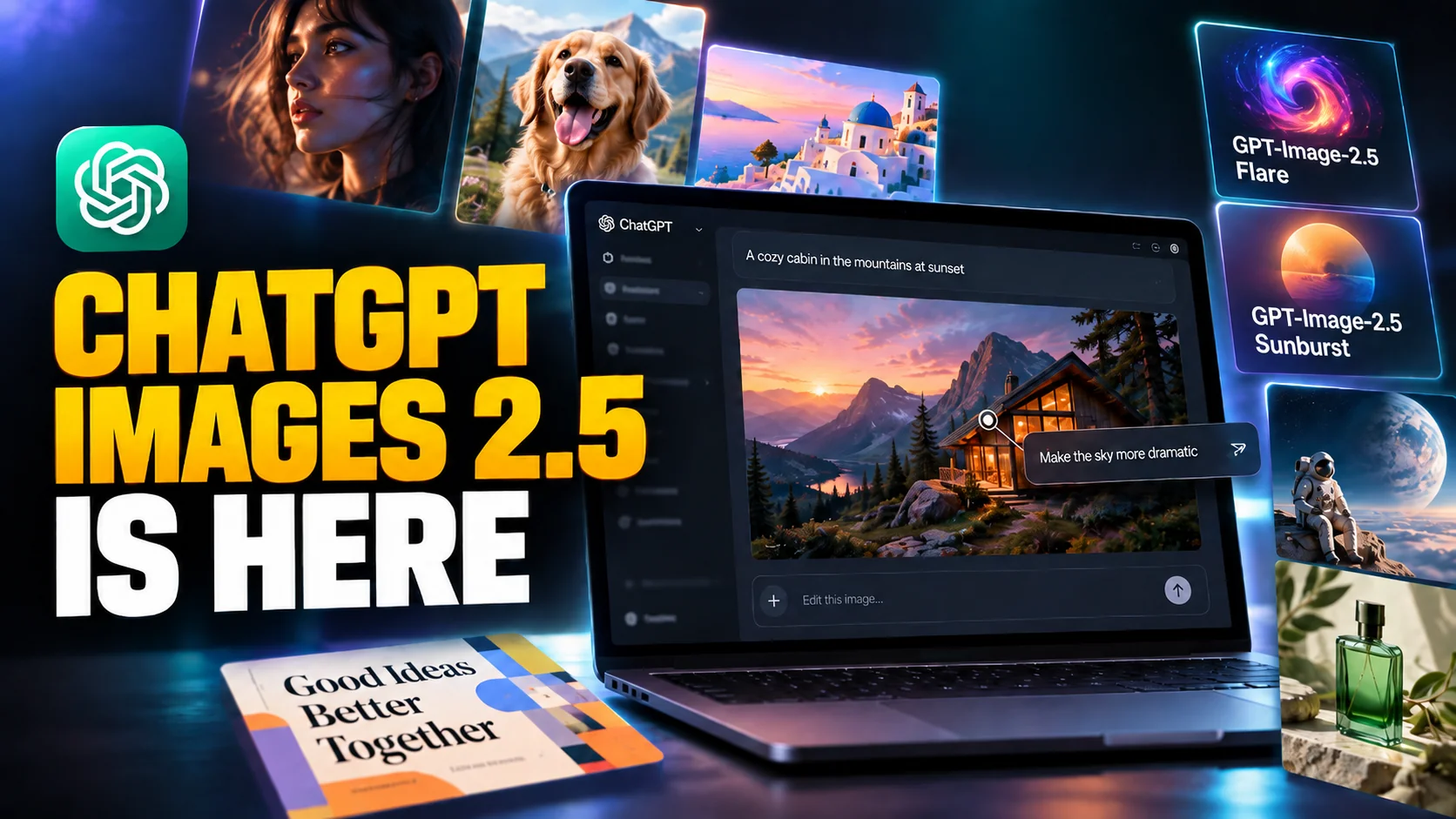
OpenAI shipped ChatGPT Images 2.5 on 8 September 2026, five months after Images 2.0, and the headline number is speed: image generation latency is down by up to 50% compared with the previous model. Alongside it, OpenAI put two new image models into the API and added a set of editing tools that change how you fix a picture that came out almost right.
This is a refinement release rather than a reinvention, and OpenAI's own version number says so. The interesting part is not that the pictures look better, though they do. It is that the awkward loop of retyping a whole prompt to change one detail is finally gone, and that the price of calling the model from the API did not move at all.
The Key Takeaways
- Launched 8 September 2026 to all ChatGPT, ChatGPT Work and Codex users, on every tier, across desktop, mobile and web.
- Up to 50% lower latency than Images 2.0, plus more natural lighting, richer textures and better subject preservation from reference photos.
- Comment-based editing: pin a note to a spot on the image and ChatGPT acts on it, instead of you rewriting the prompt.
- Two new API models, GPT-Image-2.5 Flare and GPT-Image-2.5 Sunburst, both at $30 per 1M output image tokens.
- Token rates are unchanged from GPT Image 2, so the speed and quality upgrade costs developers nothing extra.
What ChatGPT Images 2.5 Actually Changes
OpenAI announced it in four lines on X, and the list is a fair summary of the release.
OpenAI describes the model as producing more natural lighting and richer textures, being better at preserving the subjects in your reference photos, and following editing instructions more reliably across multiple turns. That last one is the quiet fix. Anyone who has run a picture through six rounds of tweaks knows the failure mode. By round four the face has drifted, the background has changed colour, and the change you asked for in round two has silently reverted.
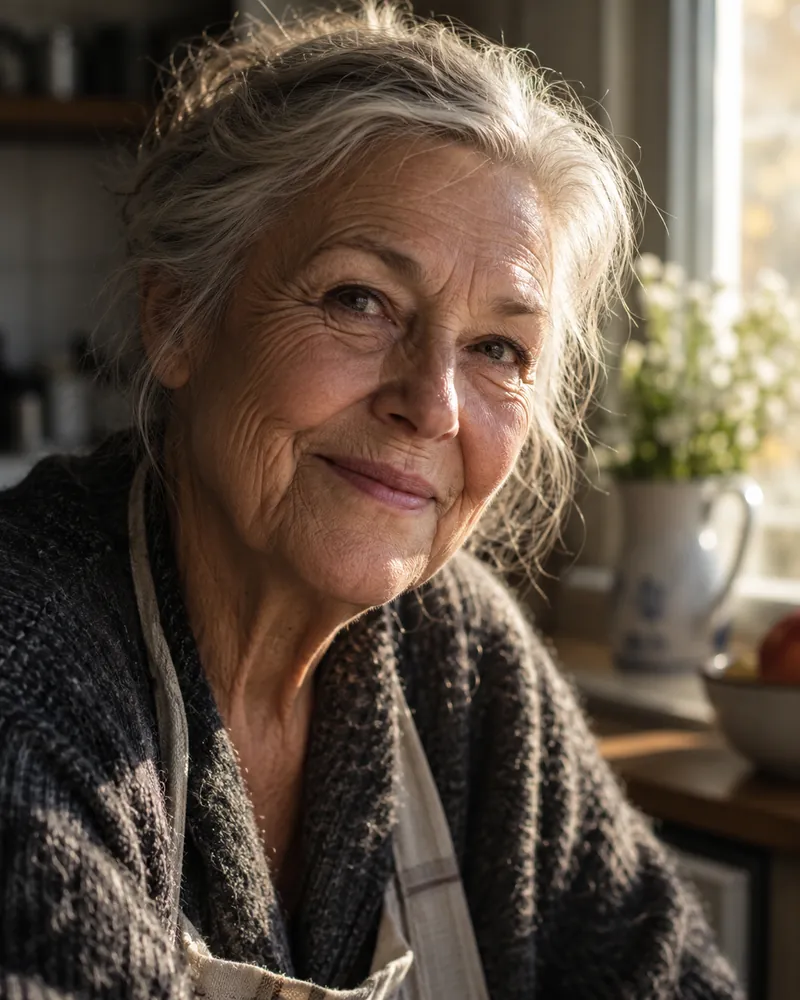
The company frames the scale of the problem plainly. More than 3 billion images are created every week across ChatGPT Images and the GPT-Image models in the API, so even a small reliability gain lands on a very large number of pictures.
At that volume, latency is a product decision, not a spec sheet line.
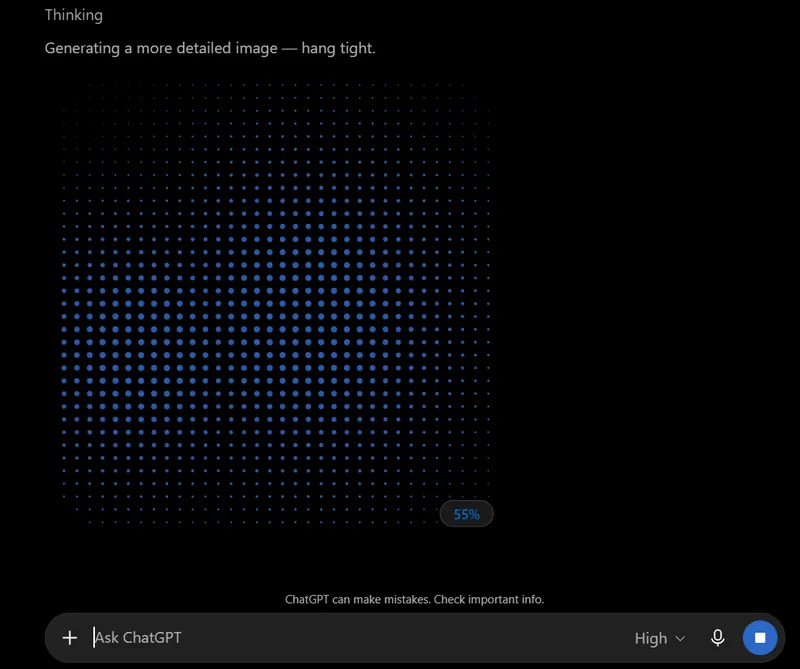
There is also a stated improvement in handling complex visual instructions, transparent backgrounds and layouts that carry real-world information, which is the polite way of saying infographics and diagrams should come out less mangled. If you want the full history of how the model line got here, our write-up of the Images 2.0 launch in April covers the generation this one builds on.
The New Edit Toolbar Is the Real Upgrade
The feature people will actually notice is not the model at all. It is the editing surface wrapped around it. Click Edit on a generated image in the web app, or tap the image in the mobile app, and you get a toolbar of direct manipulation tools instead of an empty prompt box.
Comments That ChatGPT Acts On
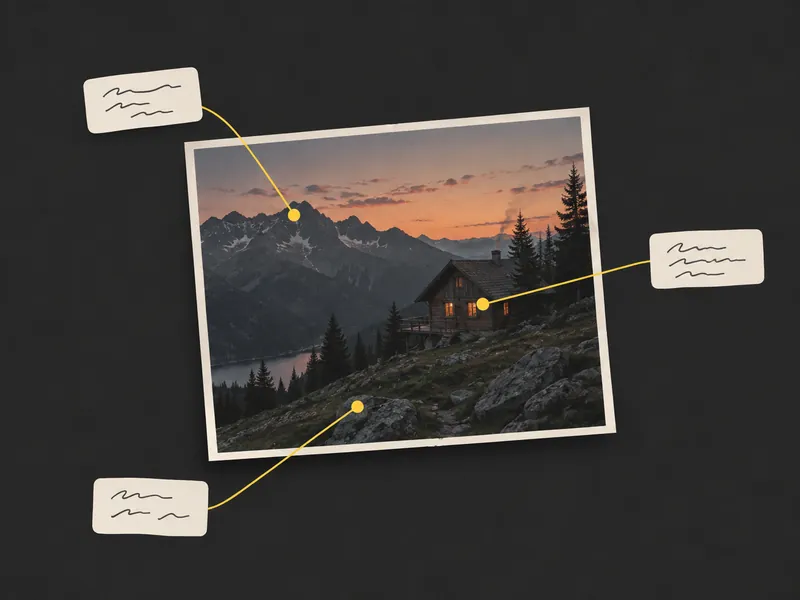
The Comment tool looks like a review feature and behaves like an instruction. You click a specific element of the image, attach a note such as "remove this" or "change this to blue", and ChatGPT carries out exactly that change when you send it. The point is locality: the model now knows which pixels you mean, so it stops rebuilding the parts you were happy with.
Erase, Remove BG and Resize
Testing the release over its first 24 hours, TechRadar's Graham Barlow lists the toolbar as Markup, Comment, Remove BG, Erase and Resize. Remove BG keeps the foreground and drops the background, giving you a transparent PNG on download. Erase is a brush: scrub roughly over a person in the background and they go, without needing a precise selection. Resize swaps aspect ratio between the usual presets such as 3:4, 16:9 and 4:3.
One caveat the announcement does not make. Barlow notes the editing toolbar appears to have been rolling out quietly through August, with no formal announcement, so part of what looks new today may already have been in your account.
Every Edit Keeps a Version
Each edit is saved as its own file, so you can scroll back through previous versions inside Edit mode and recover the one you liked three changes ago. This is the practical companion to the multi-turn consistency work in the model itself. The model degrades less over a long editing session, and when it does, you can step back instead of starting over. Where every one of those saved files ends up, and how to clear them out later, is covered in our guide to the ChatGPT library.
Sketch: Draw It Instead of Describing It
Sketch is the new feature OpenAI is pushing hardest, and the idea is simple. Some things are faster to draw than to describe: the layout of a room, the silhouette of a jacket, where the two figures stand relative to each other. You draw a rough shape, add a written description of style and detail, and the model treats the drawing as a visual guide for the finished image. That makes Sketch a natural fit for a ChatGPT tattoo design, where the shape you want is usually easier to scribble than to put into words.
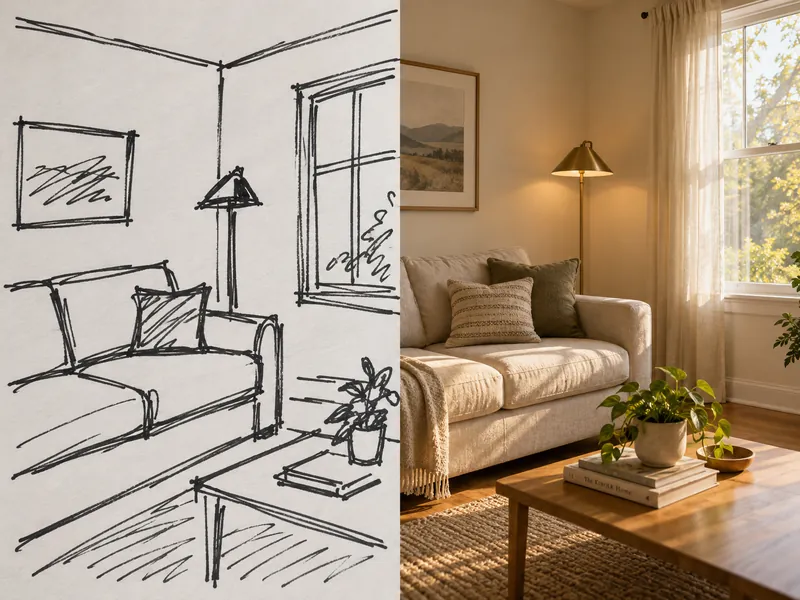
You reach it by typing @Sketch in a ChatGPT conversation, or by choosing Images from the main menu and then Sketch. The canvas itself is deliberately basic, closer to a whiteboard than a drawing app, which is the right call: nobody needs layers to indicate that the sofa goes on the left. Finish the sketch, confirm it, and ChatGPT loads a prompt to convert the drawing into a full image, which you can then extend with any details you want before it generates.
For anyone who has spent four prompts trying to explain a spatial arrangement in words, this is the shortcut. It also pairs naturally with the edit toolbar: sketch the composition, generate, then pin comments on the parts that came out wrong.
Templates Turn a Blank Prompt Into a Brief
The second addition is templates for common creative formats. Instead of a blank prompt, you pick something like Poster, Merch, flyer or product photo, and ChatGPT interviews you. Choose the product photo template and it asks for the product image, then a style from options such as Clean Studio, Editorial, Lifestyle or Dramatic, then a setting, and only then does it generate. If you would rather keep your own product's label exactly as it is, our AI product photography prompts start from your photo instead of a template.
This is prompt engineering moved into the interface, and it addresses the single biggest reason casual users get poor images: they under-specify. A guided series of questions extracts the detail that a good prompt would have contained anyway. If you would rather learn to write those prompts yourself, our guide to getting good results out of ChatGPT Images still applies, since the prompting fundamentals have not changed with this release.
Sharing changed too. When you share an image you can now include the prompt that produced it, so someone else can run the same idea with their own photos and details. That is a small social feature with an obvious viral mechanic behind it, and OpenAI is clearly betting on it.
GPT-Image-2.5 Flare and Sunburst in the API
For developers, ChatGPT Images 2.5 arrives as two separate models rather than one. Both went live with 8 September 2026 snapshots. Both accept text and image input, output images only, and support the full quality range from low through medium, high, xhigh and max, plus auto.
| Model | Model ID | Built for | Trade-off |
|---|---|---|---|
| GPT-Image-2.5 Flare | gpt-image-2.5-flare | The default choice. Creator and social content, product experiences, visual search, rapid prototyping, high-volume generation | Higher quality than GPT Image 2 at 50% lower latency |
| GPT-Image-2.5 Sunburst | gpt-image-2.5-sunburst | Premium visual workflows. Production-ready campaign creative, polished product imagery | Extra precision across edits, longer generation times |
What It Costs, and What Did Not Change
Here is the part that is easy to miss. Both models are priced identically, and identically to the model they replace. The GPT-Image-2.5 Flare model documentation lists text input at $5 per 1M tokens and $1.25 cached, image input at $8 per 1M tokens and $2 cached, and image output at $30 per 1M tokens. The same page then states plainly that token rates match GPT Image 2. Text output is not billed, because these models emit images rather than text.
A faster, higher-fidelity model on the same rate card is a price cut in everything but name.
One warning is buried on the same page. The existing GPT Image 2 token calculator does not estimate 2.5 token consumption, so do not budget from it.
Where the Models Work
Both models are wired into the image generation and image edit endpoints, and OpenAI notes they can also be selected as the model behind the Responses API image generation tool. They are not general-purpose chat models and do not serve chat completions, embeddings, audio or video, so treat them as a dedicated image service rather than a drop-in for a text model.
Third-party platforms are moving. In OpenAI's announcement, Adobe's Matt Chotin says the latest GPT-Image-2.5 models are coming to Firefly, though Adobe's own Firefly partner-model page still described GPT Image 1.5 and GPT Image 2 at the time of writing. Manus, which evaluated the release early, reports that Flare delivered high-quality images at two to four times the speed of GPT Image 2 in its own testing. That is a customer measurement, not an OpenAI benchmark, and should be read as one.
Who Gets ChatGPT Images 2.5 and When
Availability is unusually simple for an OpenAI launch. Images 2.5 started rolling out on 8 September 2026 to ChatGPT, ChatGPT Work and Codex users across all tiers, on desktop, mobile and web.
No paid gate on the model itself, no waitlist.
What still differs by plan is how much you can generate. OpenAI did not publish new per-plan image quotas with this release. The caps circulating in third-party posts do not trace back to an OpenAI source, so treat any specific number you see today with suspicion. If you are hitting a wall, our breakdown of how ChatGPT usage limits work and when they reset is the reliable place to start. Nothing in the announcement says Images 2.0 or GPT Image 2 is being retired, either in the app or in the API.
How It Compares to Nano Banana Pro
The obvious question is whether this puts OpenAI back ahead of Google. Honestly, nobody can answer that yet. There is no published benchmark, no Arena placement and no independent head-to-head for Images 2.5, and any page claiming a winner on launch day is guessing.
The prior form guide is clearer. OpenAI's models have been stronger on in-image text, dense layouts and precise placement. Google's have led on photorealism, skin and cinematic lighting, with the added trick of grounding an infographic in live search results. Our coverage of what Nano Banana Pro brought to the table lays out that side of the split. The 2.5 release pushes directly at Google's strengths, since natural lighting, texture and subject fidelity are exactly what OpenAI claims to have improved.
What OpenAI Did Not Announce
Worth noting for anyone planning around this release. There is no benchmark table, no resolution or aspect-ratio specification, no per-image pricing, no new rate limits and no deprecation notice for the older models. The announcement is a feature post, not a technical report.
On safety, OpenAI says the model keeps the existing safeguards with checks on prompts and outputs, and continues to embed C2PA metadata plus invisible watermarking to mark images made with its tools. That matters more every month, and if you want to know how reliable those markers actually are in practice, we tested the methods in our guide to spotting an AI-generated photo.
Should You Care?
If you generate images occasionally, the thing to try first is not the model, it is the Comment tool. It removes the most annoying part of the workflow, which was describing a small fix in words and hoping the model did not redraw everything else. Sketch and templates are useful in narrower cases, when you can draw the idea faster than you can write it, or when you want a poster and do not know what to ask for.
If you build on the API, the decision is easier. Flare is the sensible default for almost everything, it is faster than what you are running now, and it costs the same per token. Move to Sunburst only where edit precision justifies the wait. This is called 2.5 rather than 3.0 for a reason. The model is an improvement, not a leap. The tooling around it is the part people have been asking for since image generation first landed in a chat window.
Frequently Asked Questions
What is ChatGPT Images 2.5?
ChatGPT Images 2.5 is OpenAI's image generation model released on 8 September 2026. It replaces Images 2.0 as the default in ChatGPT, generates images with up to 50% lower latency, produces more natural lighting and textures, preserves subjects from reference photos more faithfully, and adds comment-based editing, a Sketch tool and prompt templates.
Is ChatGPT Images 2.5 free?
Yes. OpenAI says Images 2.5 is rolling out to all ChatGPT, ChatGPT Work and Codex users across all tiers, on desktop, mobile and web, so there is no paid gate on the model itself. How many images you can create still depends on your plan's usage limits, and OpenAI did not publish new per-plan image quotas with this release.
What is the difference between GPT-Image-2.5 Flare and Sunburst?
Flare is the default API model, aimed at everyday and high-volume generation, and OpenAI says it delivers higher quality than GPT Image 2 at 50% lower latency. Sunburst is built for premium workflows that need tighter control across edits, such as campaign creative, and trades speed for precision. Both cost the same per token.
How do I use the Sketch tool in ChatGPT?
Type @Sketch in a ChatGPT conversation, or open Images from the main menu and pick Sketch. Draw a rough guide with your mouse or finger, confirm it, then add a description of the style and any details you want. ChatGPT converts the drawing into a finished image, which you can refine further in Edit mode.
Does ChatGPT Images 2.5 cost more to use in the API?
No. OpenAI's model documentation states that token rates match GPT Image 2: $5 per 1M text input tokens, $8 per 1M image input tokens, and $30 per 1M image output tokens, with cached input at $1.25 and $2 respectively. Note that the GPT Image 2 token calculator does not estimate 2.5 token consumption.