88% of students now use AI in their learning, according to the Digital Education Council’s AI in Higher Education Global Survey 2026, which drew 45,398 responses from students and faculty across 35 countries. The tools doing that work are no longer just chatbots. A realistic 2026 study stack pairs ChatGPT, Google Gemini or Claude as your tutor, NotebookLM for revising your own notes, Perplexity for sourced research, Grammarly and QuillBot for writing, Photomath for maths, and GitHub Copilot for code.
This guide ranks the 12 AI tools for students that earn their place in 2026, grouped by the job you actually need done. It is deliberately blunt about money, because most “free” AI tools are capped rather than unlimited, and two of the biggest student offers changed this year. You will also find the free tiers spelled out, the best picks by subject, and an honest section on where AI makes your learning worse instead of better.
The Key Takeaways
- Build a stack, not a habit. One chatbot, one research tool, one writing checker and one note tool beats using ChatGPT for everything.
- Free tiers are capped. Otter.ai gives you 300 minutes a month with a 30-minute cap per recording, not unlimited transcription.
- Two student offers changed in 2026. GitHub Copilot moved to a capped Copilot Student plan in March 2026, and Google’s free student year for Gemini came back on 19 August 2026, with a 31 December 2026 deadline to claim it.
- Verify everything. AI models still fabricate citations, so check every reference against the actual source before it goes in a bibliography.
- Disclosure beats secrecy. Most universities now ask how you used AI rather than banning it outright, and detectors flag honest writing often enough that hiding it is the riskier bet.
Best AI Tools for Students in 2026 at a Glance
| Tool | Best for | Free tier | Paid plan needed for | Student deal |
|---|---|---|---|---|
| ChatGPT | Explaining concepts, practice tests | Yes, with daily usage caps | Heavier use and the newest models | None direct |
| Google Gemini | Google Docs, Drive and Gmail work | Yes, on the free tier | Larger context and higher limits | Free 12-month offer, claim by 31 Dec 2026 |
| Claude | Long PDFs and dense readings | Yes, with daily limits | Longer sessions and bigger uploads | Student discount available |
| Perplexity | Sourced research with citations | Yes, limited advanced searches | Unlimited advanced search | Student pricing at times |
| NotebookLM | Quizzing your own notes | Yes, with a Google account | Higher upload and notebook limits | Included with Google account |
| Otter.ai | Transcribing lectures | 300 min/month, 30 min per recording | Longer recordings and bulk export | Student discount available |
| Notion AI | Organising notes and assignments | Education plan free, AI limited | Full Notion AI features | Free Education plan, AI extra |
| Grammarly | Grammar, clarity and tone | Yes, core checks | Plagiarism check and rewrites | Student pricing at times |
| QuillBot | Paraphrasing and shortening | Yes, with word caps per rewrite | Longer rewrites and all modes | Student pricing at times |
| Photomath | Step-by-step maths from a photo | Yes, core solutions | Deeper explanations | None direct |
| GitHub Copilot | Debugging and explaining code | Copilot Student for verified students | Premium model selection | Free via GitHub Education |
| Canva | Slides and posters fast | Yes, generous design assets | Premium assets and brand tools | Education plan for eligible students |
| Fello AI (bonus) | Running several models in one Mac app | Trial | Full multi-model access | None direct |
Free tiers move constantly, so treat this as a starting point and check the limit inside the app before you build a workflow on it. If you want the cheaper routes laid out properly, we keep a running guide to how to get those AI tools cheaper.
What Do Students Actually Use AI For?
Adoption is now close to universal, and the interesting question has moved on from whether students use AI to what they use it for. In the UK, the Higher Education Policy Institute’s Student Generative AI Survey 2026 found 95% of undergraduates using AI in at least one way, and 94% using it to help with assessed work. That survey was run by Savanta with 1,054 full-time UK undergraduates and published in March 2026.
The pattern underneath those numbers is consistent. Students use AI most for explaining material they did not follow in a lecture, summarising long readings, generating practice questions, drafting and tidying written work, and debugging code. The heavy use sits in comprehension and revision rather than in producing final submissions.
The gap is institutional rather than technical. As reported from the same survey, 77% of faculty now use AI in their teaching, up 16 percentage points on 2025. Yet 57% of students said their assessments came with inadequate AI guidance, and only 29% believed their instructors were equipped to advise them on it. In practice you are likely to be ahead of your course on this, which makes reading your own institution’s policy carefully more important, not less.
Best AI Tutors and Chatbots for Students
These general-purpose assistants are your first stop for understanding something new. Treat them as tutors available at 2 AM rather than answer machines, and they earn their place fast. If you are choosing between the big four rather than stacking them, the best AI by task table further down answers that directly.
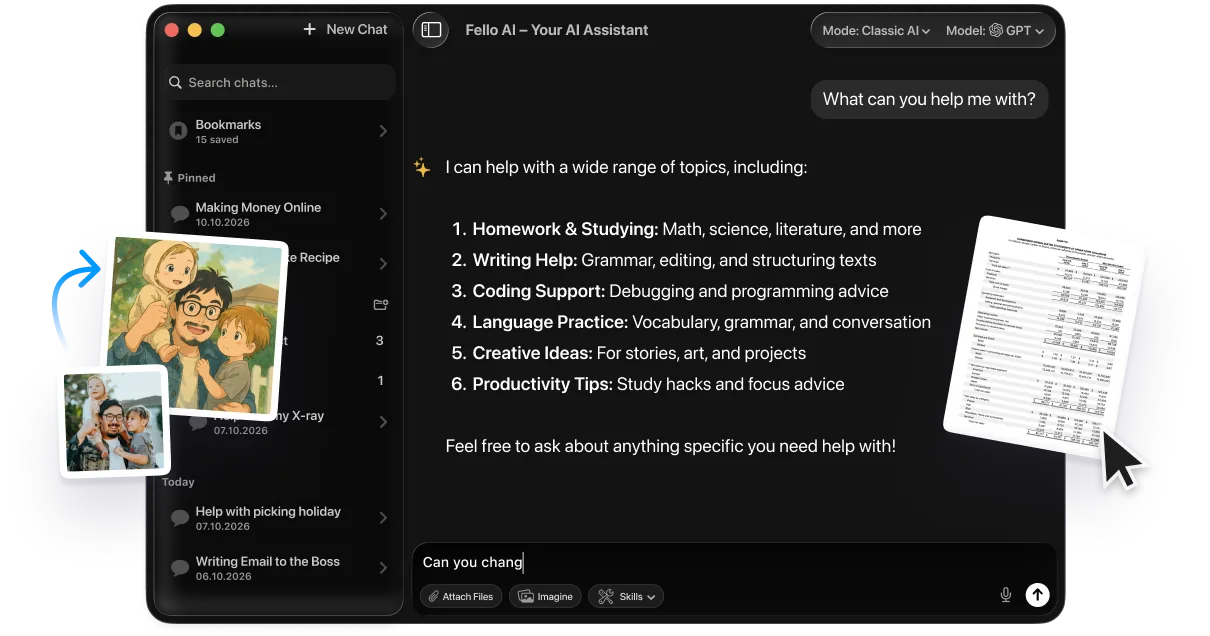
If you work on a Mac, iPhone or iPad, an all-in-one client like Fello AI can pull several of these models into one app so your study stack stops living in a dozen browser tabs.
1. ChatGPT
OpenAI’s ChatGPT stays the default for most students because of its range. It handles a confusing textbook paragraph, a practice exam, and a plan for your dissertation week without you changing tools. The dedicated study setting gets its own walkthrough in our ChatGPT Study Mode guide.
If you are under 18, this is not quite the same product. Since 18 August 2026 OpenAI has placed accounts it judges to belong to a teenager into ChatGPT for Teens automatically. There is no separate app and nothing to opt into. For studying, the two differences that matter are Study Hours, which lets a teen or a linked parent pick times of day when Study Mode is on by default, and homework reminders that redirect toward Study Mode when the model thinks an assignment is being shortcut. One point most coverage got backwards: it does not turn Study Mode on by default outside those windows. Our guide to ChatGPT for kids and teens goes through what changed.
The Socratic method is the highest-value way to use it. Ask it explicitly to withhold the answer and question you until you reach it yourself, and it will hold that line for a surprisingly long conversation. This is the single prompt habit that separates students who learn from AI from students who launder answers through it.
Concept simplification works in both directions, which most people miss. Paste a dense theory and ask for a plain-English version, then ask for the technical version back and check whether you actually followed the first one. If the technical version now makes sense, the explanation worked; if it does not, you have found the gap.
Practice tests are where it beats a textbook outright. Feed it your own notes and ask for multiple-choice questions with the answer key withheld until you have finished, and you get unlimited retrieval practice. Better still, it is drawn from exactly the material your course covers rather than from a generic question bank.
“I am studying for a biology exam. Quiz me on cell division. Ask one question at a time and wait for my answer before correcting me.”
Where it falls short. It is the most confident of the four when it is wrong, and it will invent a citation rather than admit a gap. It is also the tool most likely to hand you a finished answer when you wanted to be taught, so the way you prompt it matters more here than anywhere else on this list.
For the assignment-specific workflow, including where the line sits, see our guide on how to use ChatGPT for homework without crossing into academic dishonesty.
2. Google Gemini
Google Gemini is the obvious pick if your coursework already lives in Docs, Drive and Gmail. You can highlight a paragraph in a Google Doc and ask for a rewrite without copying anything into a separate tab. Its adaptive study feature gets its own walkthrough in our Gemini study notebooks guide.
It reads images too, so a photographed diagram or a scanned handout becomes something you can ask questions about. For long email threads with a supervisor, the summarise function saves real time when you are hunting a changed deadline.
One important change for 2026. Google’s free student year is back. Since 19 August 2026, eligible college students in the United States get 12 months of Google AI Pro at no cost, and students across 140+ other markets get 12 months of Google AI Plus instead, in both cases redeemed by 31 December 2026. The eligibility rules and the claim steps are in our guide to free Google AI Pro for students.
“Summarise this 10-page reading into five bullet points and three exam-style questions. Keep the technical terms, but explain each one briefly.”
Where it falls short. The integration is the reason to use it and also the reason to be careful, because it reaches into your Drive and Gmail by default. If you share a Google account with family, or your university account has restrictions, check what it can see before you point it at anything sensitive.
3. Claude
Claude is the one to reach for when the input is long. Its context window comfortably swallows a full reading pack, a hundred-page report or several lecture transcripts at once, and it holds detail across the whole thing rather than losing the middle.
That makes it the strongest of the four for literature reviews, dense primary sources and any task where you need the model to compare two long documents. It is also noticeably more careful about saying when something is not in the source, which matters when you are citing.
The same long-context strength is why Claude’s education tools have caught on with lecturers marking stacks of submissions. If you are paying, check the Claude student discount first.
“Here are three papers on the same topic. Build me a table comparing their research questions, methods, sample sizes and conclusions, and flag anywhere they contradict each other.”
Where it falls short. The free tier runs out faster than its rivals once you are pushing long documents through it, which is exactly the use case you picked it for. It is also more cautious, so it will occasionally decline something benign that another model would answer without hesitation.
4. Perplexity
Perplexity is an answer engine rather than a chatbot. Every response arrives with numbered citations you can click, which makes it the safest of the four for anything heading into a bibliography.
Use it for the opening phase of a paper, when you are still working out which sources exist and which are reputable. You can restrict it to academic papers, then follow the citations out to the originals and read those properly.
The absence of blue links is the point. Rather than handing you ten tabs to triage, it reads the pages and synthesises an answer with the sources listed underneath, which collapses the slowest part of early research. You still open the sources, but you open the right four instead of the first ten.
Threaded follow-ups let you narrow a topic in stages, because it keeps the context of everything you asked earlier in the thread. That turns a vague starting question into a specific one over several exchanges, which is much closer to how research actually works than a single search box. Source filtering then lets you restrict it to academic or news sources when general web results are too noisy.
“Find peer-reviewed sources from the last five years on this topic. For each one, give me the finding in a sentence and tell me whether it supports or challenges the others.”
Where it falls short. Citations prove a source exists, not that it says what the summary claims, and the sourcing quality is only as good as what it found. It is a research starting point rather than a substitute for reading the paper, and marking it as such will save you an awkward conversation with a supervisor.
Our full Perplexity pricing breakdown covers what the free tier limits look like in practice.
Bonus: Fello AI, an all-in-one hub for Apple users
If you are on a Mac, iPhone or iPad and you are constantly switching between four chatbots, Fello AI consolidates them into one native app. You pick the model that suits the task rather than logging into a different service for each one.
For students that means one app for several models, web search through the models you choose, and file uploads so a PDF becomes study notes without a detour. It sits alongside the tools below rather than replacing them, and it is most useful once your stack has grown past two or three services.
Free AI Tools for Students: What You Actually Get
The best free AI tools for students in 2026 are NotebookLM, which is free with any Google account, plus the free tiers of ChatGPT, Google Gemini, Claude and Perplexity, and Grammarly and QuillBot for writing. Free here means capped, not unlimited, so the useful question is where each cap bites.
NotebookLM is the strongest free offer on this list, because the core feature, grounding every answer in your own uploads, is not the part Google charges for. You get the thing that makes it useful without paying, which is rare enough to be worth naming.
Otter.ai is more restrictive than it first appears. The free plan gives you 300 transcription minutes a month with a 30-minute cap per conversation, which covers a handful of lectures rather than a full timetable. The per-conversation cap is the sharper limit, because it cuts a 50-minute lecture in half.
Notion gives verified students a free Education plan, but full Notion AI is not part of it, so treat it as free organisation software rather than a free AI tool. Anki takes the opposite approach and is free on desktop, Android and the web, with a one-time purchase on iPhone and iPad instead of a subscription.
Canva has the most generous free tier for design work of anything here, which is why it survives on the list despite not being an AI-first product. For slides and posters, most students never hit a wall that requires paying.
If your budget is zero, the strongest free stack is NotebookLM for revision, Perplexity for sourcing, Grammarly free for proofreading and one chatbot free tier for explanations. That covers every core academic job without a card. Our roundup of best free AI courses is a good next step once the stack is set up.
When it is actually worth paying
Free tiers stop being enough at fairly predictable moments, and recognising yours saves you from paying for four subscriptions you use twice a term. There are really only three triggers worth acting on as a student.
You are hitting the cap mid-task, repeatedly. Running out of messages halfway through an essay costs more in lost momentum than the subscription costs in money. Once that has happened three weeks running, the maths has already decided for you.
Your documents have outgrown the tier. Dissertation-length PDFs and full-term reading packs are where free upload limits stop being workable, and no amount of splitting files makes that pleasant. The tool has become load-bearing is the third trigger, and the most important one. If a workflow you rely on every week breaks the moment a cap hits, that is the tool to pay for, and only that one.
If you do pay, check for academic pricing first, because several of these tools cut the price substantially for verified students and almost nobody claims it. The student discount section further down covers which ones are worth the verification effort.
AI Research and Note-Taking Tools for Students
Keeping up with fast lectures, dense PDFs and scattered handouts is half the work of a degree. These tools turn static files into something you can interrogate, which is a different job from simply storing them. If what you need is something that captures the lecture as it happens, see our ranking of the best AI note takers.
5. NotebookLM
Google’s NotebookLM grounds every answer in the documents you upload, so a response can always be traced back to your own material. That single design decision removes most of the hallucination risk that makes other chatbots unsafe for revision.
Upload a reading list or a term of lecture PDFs, then ask for a study guide, a glossary or a set of practice questions drawn only from that material. For a plain-English overview of what it is, see what is NotebookLM.
“Based only on my uploaded readings, create a study guide with key terms, short definitions and 10 quiz questions. Do not use anything outside these documents.”
Where it falls short. It only knows what you give it, which is the whole point and also the limitation. Upload an incomplete reading list and you get confident answers built on a partial picture, so it rewards being organised and punishes being lazy about sources.
Turn your notes into a study podcast
NotebookLM can generate a conversation between two AI hosts discussing your uploaded material, which suits anyone who revises better by listening than by reading. It works well for a commute or the gym, where reading is not an option.
For the full walkthrough, see our step-by-step NotebookLM guide, and our piece on using an AI podcast for studying covers how to fit it into a revision timetable.
6. Otter.ai
Otter.ai records and transcribes lectures in real time, which changes what you do while the lecturer is talking. Instead of transcribing by hand, you can listen and think, knowing the detail is captured.
The searchable transcript is the real benefit. Search “midterm” across a term of recordings and you land on the exact second it was mentioned, which is far faster than scrubbing through audio.
The free tier gives you 300 minutes per month, a 30-minute limit per conversation and three lifetime file imports in total. That per-conversation cap is the one that catches students out, because a standard lecture runs longer than it and gets cut off mid-sentence.
Automatic summaries pull out the main points of each recording, which is enough for a quick pass over a term of material before an exam without replaying anything. Accessibility is the strongest argument for it, though. If you have a hearing impairment, or you are studying in a second language and the lecturer talks fast, a searchable transcript is the difference between following a module and falling behind in it.
Where it falls short. Transcription accuracy drops with heavy accents, overlapping speakers and technical vocabulary, which describes a lot of seminars. Treat the transcript as a searchable record rather than a verbatim quote source, and check anything you plan to quote directly.
Always ask before recording a class, because recording policies vary by institution and by country. Our Otter AI pricing breakdown covers what happens when you hit the free ceiling.
7. Notion AI
Notion is already a strong organiser for coursework, and the AI layer adds question-answering across everything you have written. Ask what your notes say about a topic and it synthesises an answer from six months of your own material.
The catch matters for students. Verified students can get a free Education plan, but full Notion AI is not included in it, and the complete feature set sits on a higher paid tier. Our Notion AI pricing guide explains where the line falls.
Where it falls short. Notion rewards people who already keep tidy notes and does very little for people who do not, because the AI can only answer from what you bothered to write down. There is also a real setup cost, and building an elaborate system is a popular way to feel productive without studying.
AI Writing Tools for Students
The gap between a good essay and a graded-down one is often polish rather than substance. These tools tighten phrasing and catch what a spell-checker misses, without writing the argument for you.
8. Grammarly
Grammarly remains the benchmark for catching errors that basic spell-check walks past, and it works across Docs, Word and most browsers. It explains why a sentence is weak, which is what makes it a teaching tool rather than a crutch.
The tone detector is quietly the most useful feature for students. It tells you when an email to a supervisor reads as too casual, or when an essay has drifted into sounding combative.
Before you submit, it is worth understanding what an automated checker sees in your work, and what Google Classroom can detect is narrower than most students assume. Our best free AI detector comparison covers how accurate these tools really are.
Where it falls short. Accept every suggestion without reading it and your writing converges on the same flat, corporate register as everyone else’s. The suggestions are also tuned for general business English, so they will sometimes fight the conventions of your discipline.
9. QuillBot
QuillBot is built around paraphrasing, so it earns its place when you have the right idea but the sentence will not behave. It works on style and phrasing where Grammarly works on correctness.
Fluency mode fixes grammar and makes an awkward sentence read naturally, which is the one you will use most. Formal mode strips casual phrasing for academic submissions, and is worth running over anything you drafted quickly. Shorten mode is the one you want at 2 AM against a strict word count, and it is better at cutting than most students are on their own work.
One warning that matters more than the features. Paraphrasing someone else’s work does not make it yours, and you still have to cite the original idea. Rewording to dodge a similarity check is plagiarism with extra steps.
Best AI Maths and STEM Tools for Students
STEM is unforgiving in a way essays are not, because the answer is either right or wrong. What you need when you are stuck is the mechanics of the problem, the reasoning behind each move, rather than the final number.
10. Photomath
Photomath lets you scan a handwritten or printed problem with your phone camera and returns a step-by-step solution. It remains the best mobile interface for quick maths help, and it covers arithmetic through algebra to calculus.
The value is in the breakdown rather than the answer. Use it to find where your own working went wrong, then solve the next similar problem without it, or you have learned nothing.
Where it falls short. Recognition struggles with messy handwriting, and it is weaker on word problems than on clean equations, because parsing the question is the hard part. It is also the tool on this list most easily used to skip the thinking entirely, which is worth being honest with yourself about.
Also worth knowing: Khanmigo and Wolfram Alpha
Khanmigo, Khan Academy’s tutor, is built to ask guiding questions instead of handing over answers, and it refuses to write an essay for you. It is free for teachers and a low monthly cost for learners and parents, so it is not a free tool for students despite the Khan Academy name. The teacher side of that offer sits in our guide to AI for teachers.
Wolfram Alpha sits at the other end. It is a computational engine rather than a tutor, and it is the better choice for symbolic maths, unit-heavy physics and anything where you want a verified computation rather than a language model’s best guess. Both are narrower than a general chatbot, and our guide to the best AI models for maths compares how the frontier models score on competition problems and proofs.
“Show me how to solve this step by step, then give me two similar practice problems without the answers.”
AI Coding Tools for Students
11. GitHub Copilot
GitHub Copilot sits inside your editor and behaves like a pair programmer, which for a computer science student is most valuable as an explainer rather than a generator. Ask it why a function breaks and you learn something; ask it to write the assignment and you do not.
What changed in March 2026. Verified students previously got Copilot Pro free. Since 12 March 2026, per GitHub’s own announcement, that access is managed under a new Copilot Student plan instead. Premium models including GPT-5.3-Codex, GPT-5.4 and Claude Opus and Sonnet are no longer available for self-selection, though Auto mode still routes you to capable models.
A further update on 1 June gave the Copilot Student plan 200 monthly AI credits, with code completions staying unlimited. It is still an excellent free offer for a student, but it is no longer the uncapped Pro plan the older guides describe. Our walkthrough on how to get GitHub Copilot free as a student covers the verification steps.
Where it falls short. It is confidently wrong about edge cases and will happily suggest code that compiles and does the wrong thing. For a student the deeper risk is submitting work you cannot explain in a viva, which most computer science departments now test for directly.
If you code in an AI-first editor instead, the Cursor student discount is worth checking before you pay full price.
AI Presentation and Design Tools for Students
12. Canva
Canva has pushed AI through its whole design platform, and Magic Design will turn a rough outline into a full slide deck with layouts and imagery. For anyone who is not a design student, that is hours back on every group project.
Magic Media generates an image from a text description when you cannot find a usable one, which saves a long detour through stock photo sites. Magic Switch resizes a finished deck into a poster or a handout without rebuilding it, and is quietly the most useful feature for group projects that need three formats of the same thing. And Magic Write drafts slide copy when you are stuck on wording, though it is the one to edit hardest.
You can compare the free, Pro and Business tiers in our Canva pricing guide. The free tier is unusually generous, so most students never need to pay. For the wider workflow, our guide on how students can use AI for presentations and essays goes further.
Where it falls short. Magic Design produces decks that look competent and generic, and a marker who has seen thirty of them will notice. Use it for the layout and the time saving, then change enough that the deck argues your point rather than filling a template.
AI Research Tools for Dissertations and Theses
Once you are writing a dissertation or a thesis, general chatbots stop being enough. A separate category of academic tools searches the literature itself rather than the open web, and returns papers instead of prose. Our full guide to AI tools for students and researchers covers this category in depth, grouped by research stage.
In short, Elicit builds scannable comparison tables across many papers at once, Consensus shows how much of the literature agrees or disagrees with a claim, and Semantic Scholar is the free search layer worth starting your citation chasing from. The rule that matters here is the same one that matters everywhere in academic work. These tools point you at papers; they do not excuse you from reading them. Cite what you have actually read, not what a summary told you a paper said.
Best AI by Task
The list above sorts by tool. Most weeks you are sorting by task instead, so here is the same question answered the other way round. These are model picks rather than app picks, and the free column matters more than the winner column for most students.
| What you are doing | Best model | Why, and the free option |
|---|---|---|
| Writing essays and papers | Claude Fable 5 | The only model in the top three of all three independent writing boards. Claude Sonnet 5 is free on claude.ai and close enough for coursework. |
| Research with real sources | Gemini 3.1 Pro | Grounding searches the live web and links the source, so you can click through and check it. Free in the Gemini app. |
| Understanding a hard concept | GPT-5.6 | Adapts the explanation to your level and keeps the logic chain intact when ideas build on each other. Free tier default in ChatGPT. |
| Maths and problem solving | GPT-5.6 Sol | Strongest step-by-step working, but paid only. Qwen 3.7 Max is the value alternative and Gemini 3.6 Flash is the free one. |
| Quick summaries and revision | Gemini 3.6 Flash | Fast, free in the Gemini app, and a 1M token context window that swallows a whole reading list. |
| Flashcards and study guides | Claude Sonnet 5 | Free default on claude.ai and reliable at holding a structured output format. |
The honest summary is that you will want two or three of these depending on your subjects, which is the whole argument for not paying for three separate subscriptions. Our best AI models page tracks these picks across every task, not just student ones, and is updated monthly.
Best AI Tools by Student Type
The right stack depends on what you are studying. These are the picks worth defaulting to if you only want one recommendation per situation.
Best AI for college and university students
Start with one chatbot free tier plus NotebookLM. That combination covers explanation and revision, which is the bulk of undergraduate work, and costs nothing. Add Grammarly free once essays start counting toward your grade.
Best AI for nursing and medical students
Accuracy and sourcing matter more than fluency here, so lead with Perplexity or Consensus rather than a general chatbot. Both surface citations you can follow back to the literature, which is essential when the answer has clinical consequences. Never rely on a general chatbot for drug dosing or clinical guidance.
Best AI for law students
Long-document handling is the deciding factor, which makes Claude the natural pick for case law, statutes and lengthy judgments. Verify every citation without exception, because fabricated case references have already ended careers in real courtrooms.
Best AI for postgraduate researchers
Elicit and Consensus for the literature, Claude for reading long sources, and NotebookLM to keep your own corpus queryable. This is the one case where the general chatbots are the supporting cast rather than the centre. Once you hold a postdoc or research faculty post, check whether you qualify for OpenAI’s free ChatGPT for academic researchers before you pay for any of it.
Best AI for engineering and computer science students
GitHub Copilot for code and Wolfram Alpha for the maths underneath it. The key discipline is asking Copilot to explain a suggestion before you accept it, because a degree that ends in a technical interview will expose anything you cannot reason about out loud.
Best AI for high school and A-level students
Photomath and Khanmigo are built for this level, and Khanmigo in particular is designed to withhold answers and ask guiding questions instead. School AI policies tend to be stricter than university ones, so check yours before using anything on coursework that counts.
Under-18 accounts now behave differently, on both sides. ChatGPT places you in ChatGPT for Teens automatically if it judges you to be under 18, so the defaults you get are not the ones an adult sees, as covered above. Gemini pulls the other way: its adaptive study notebooks require you to be 18 or over on a personal Google account, so a school-issued account cannot reach them at all. Check which account you are actually signed in with before you build a revision routine on either.
Best AI summariser and note-taking app for students
NotebookLM is the best summariser for material you already have, because it only answers from your uploads and every summary traces back to your own source. For sources you have not gathered yet, Perplexity is the better choice, since it returns citations you can open. For live lectures, Otter.ai is the note-taking pick.
Student Discounts on AI Tools in 2026
Academic verification is the single biggest lever on what an AI stack costs you, and most students never use it. Verification usually runs through your university email address or a service like SheerID, and takes a few minutes.
GitHub Copilot is the standout, because verified students get the Copilot Student plan at no cost rather than at a discount. Our walkthrough on how to get GitHub Copilot free as a student covers the verification, which runs through GitHub Education and takes longer to be approved than the others.
Claude runs a student discount, covered in our Claude student discount guide, and Cursor offers student pricing worth checking before you pay full price, detailed in the Cursor student discount. Both are straightforward email verifications.
Notion gives verified students a free Education plan, though not full Notion AI, so claim it for the organisation features and judge the AI separately. Google is the one with a clock on it, because its free student year lapsed for four months and then returned on 19 August 2026 with a hard 31 December 2026 cut-off, as covered in free Google AI Pro for students. Student offers come and go on the vendor’s timetable, so claim the ones you want while the window is open.
Where AI Actually Hurts Your Learning
A guide that only lists benefits is not much use to you. There are specific, well-documented ways these tools make students worse off, and knowing them is what separates using AI from being used by it.
Fluency feels like understanding, and it is not. Reading a clear explanation produces a strong sense that you have learned something, and that sense collapses in an exam hall where nothing is explaining anything to you. This is the most common way AI quietly damages a grade, and self-testing is the only reliable check against it.
Fabricated citations remain a live problem. Models still invent plausible references, complete with real author names, real-sounding journals and page numbers that go nowhere. Every citation needs opening before it reaches a bibliography, and lawyers have already been sanctioned in real courtrooms for skipping that step.
Skill atrophy lands in exactly the places that matter. Outsourcing first drafts and debugging removes the productive struggle where learning actually happens, and the struggle is not an inefficiency in the process, it is the process. The tell is being unable to explain your own submitted work.
Detector false positives make honesty risky. Automated checkers flag genuine student writing regularly, and they do it disproportionately to students writing in a second language. That is a fairness problem as much as an accuracy one, and it is why disclosure beats hoping a detector stays quiet.
We go into the wider picture, including what schools are getting right and wrong, in how AI is affecting students and schools. On the detection side, our ZeroGPT review, our GPTZero review and AI detectors explainer cover how unreliable these checkers still are.
Is Using AI for Homework Cheating?
Most universities separate assistance from generation, and that distinction is the whole game. Understanding where your institution draws it is what keeps you out of an academic misconduct hearing.
What is usually acceptable
Asking for an explanation of a concept you did not understand is fine almost everywhere, because it replaces a textbook or a tutor rather than replacing your work. The same applies to brainstorming topics or outlining a structure that you then write yourself, since the thinking and the writing both remain yours.
Checking grammar, clarity and spelling sits firmly inside acceptable use at nearly every institution, and generating practice questions to test yourself is not only permitted but is closer to what the tools are actually good for. None of these produce text you then submit as your own. The boundary is not identical in every class, so it is worth knowing what you are allowed to use at school before you lean on any of them.
What is usually a violation
Submitting generated text as your own writing is the clearest breach, and it is what almost every academic integrity policy is written to catch. Using AI to produce code for an assignment you cannot then explain falls in the same category, and computer science departments increasingly test for it directly by asking you to walk through your own submission.
Using any AI tool during a closed-book assessment that has not explicitly allowed it is a breach regardless of how you used it. Citing sources the model invented is the one students fall into accidentally, and it is treated harshly precisely because it is indistinguishable from fabricating a reference deliberately.
Disclose rather than hide
Many courses now ask you to state how you used AI, for example that you used a grammar checker for proofreading or a chatbot for practice questions. Disclosure is almost always safer than silence, particularly given how often detectors flag honest work. If the syllabus is unclear, ask your tutor and get the answer in writing. Our best free AI detector comparison shows why relying on a checker to clear you is a bad idea.
Keeping Your Coursework and Notes Private
Everything you paste into a free AI tool is a decision about your own data, and students paste a lot. Lecture recordings contain other people’s voices, group project documents contain other people’s work, and a dissertation draft is unpublished research you may later want to claim as original.
On most free consumer tiers, the default is that your content feeds the provider’s model training unless you opt out. That setting is usually buried in data controls rather than shown at signup, and it is worth ten minutes at the start of a term to turn off across every tool you use. Our guide on how to stop AI from training on your data walks through the settings tool by tool.
Use your institutional account wherever one exists
University-provided accounts normally carry stronger contractual protections than the free consumer tier of the identical product, and they usually exclude your content from model training by default. If your institution offers one and you are still using a personal login, switch.
Turn on temporary or incognito chat
For anything containing personal details, medical information or unpublished research. Most providers now offer a mode that keeps a conversation out of your history and out of training data, and it costs you nothing to make it the default for sensitive work.
Get consent before uploading other people
A recorded seminar contains your classmates and your lecturer, and a shared group document contains work that is not solely yours to hand to a third party. Never paste credentials either, because student numbers, passwords and access codes do not belong in a chat window however convenient it is at the time.
None of this means avoiding the tools. It means treating an AI chat window like a public noticeboard rather than a private notebook, and deciding deliberately what goes on it.
How to Build Your AI Study Stack in Four Steps
Twelve tools is a menu, not a shopping list. The students who get real value out of AI run three or four tools consistently rather than sampling all of them, so build deliberately.
Step 1: Pick one chatbot and learn it properly
Choose ChatGPT, Gemini or Claude based on where your work already lives, then stay with it for a term. Fluency with one model beats shallow familiarity with three, and most of the skill is in how you prompt rather than which logo is on the tab.
Step 2: Add a grounded tool for your own material
This is the step most students skip, and it is the one that moves grades. NotebookLM turns your actual lecture notes and readings into something you can test yourself against, which is a fundamentally different activity from asking a chatbot to explain a topic in the abstract.
Step 3: Add one writing checker, and read its reasoning
Grammarly or QuillBot covers this, and the free tiers are sufficient for most coursework. Read why each change is suggested instead of accepting everything, because that is the difference between a proofreader and a term of free writing tuition.
Step 4: Add a specialist only when a subject demands it
Photomath for maths, GitHub Copilot for code, Otter.ai for lectures you cannot keep up with, Elicit or Consensus for dissertation research. Add these one at a time and only when you have hit a wall the first three tools could not get you over.
Conclusion
The best AI tools for students in 2026 are the ones that make you think harder, not less. A stack of NotebookLM for revision, one chatbot for explanation, Perplexity for sources and Grammarly for polish covers almost every academic job, and costs nothing if you stay inside the free tiers.
Pick the single subject you are struggling with most, take the one tool recommended for it, and use it on your next assignment before adding anything else. A stack you actually use beats a list of twelve you downloaded once. If you want to go further than using the tools, our guide on how to learn AI is the natural next step.
FAQ
What are the best free AI tools for students?
The strongest free options are NotebookLM, which is free with any Google account, plus the free tiers of ChatGPT, Google Gemini, Claude and Perplexity, and Grammarly and QuillBot for writing. All of them are capped rather than unlimited, so check the daily message and upload limits before you build a study routine around one.
Is Notion AI free for students?
Not fully. Verified students can get a free Notion Education plan by confirming a university email address, but full Notion AI is not included in it and the complete AI feature set sits on a higher paid tier. The free Education plan is still worth claiming for the organisation features alone.
Is GitHub Copilot still free for students?
Yes, but the terms changed. Since 12 March 2026 verified students are on a Copilot Student plan rather than Copilot Pro, with 200 monthly AI credits added on 1 June and unlimited code completions. Premium models such as GPT-5.4 and Claude Opus can no longer be picked manually, though Auto mode still routes you to strong models.
Is it cheating to use ChatGPT for homework?
It depends on your institution’s policy and on what you ask it to do. Using it to explain a concept, generate practice questions or check grammar is usually fine, while submitting its writing as your own is academic dishonesty almost everywhere. Check your course syllabus, and disclose your use when the policy asks you to.
Which AI is best for summarising long PDFs?
NotebookLM for documents you already have, because it answers only from your uploads so every summary traces back to your own source. Claude is the better pick for very long single documents thanks to its large context window, and Perplexity is better when you still need to find the sources.
Can AI detectors catch student essays?
Sometimes, but they are unreliable in both directions. Detectors miss edited AI text and regularly flag honest writing, particularly from students writing in a second language, which is why a growing number of institutions have stepped back from using them as proof of misconduct.
What is the best AI for college students?
For most undergraduates the answer is one chatbot free tier plus NotebookLM, because that combination covers explanation and revision, which is the bulk of the work, at no cost. Add Grammarly free once essays start counting toward your grade, and only add a specialist tool when a specific subject demands one.
Will my lecturer know I used AI?
Possibly, but not reliably through detection software, which produces both false positives and false negatives. Lecturers more often notice through inconsistency with your previous work, generic argumentation or citations that do not check out. Disclosing your use where the policy allows it is consistently safer than hoping a detector stays quiet.
Are my notes private on these AI apps?
Free consumer tiers may use your content to improve their models unless you opt out. Check the data controls in settings, look for a temporary or incognito chat mode, and use the institutional account your university provides when you have one, since those usually carry stronger protections.
What about Grok and DeepSeek?
Both are capable, but neither leads for typical student work. Grok is convenient if you already live on X. DeepSeek performs well on benchmarks and is free on DeepSeek's own chat site, which makes it a reasonable zero-cost option for problem solving, though it does not beat the specialists above for essays or grounded research.
What if the AI gives me wrong information?
It happens, and it happens most on niche topics and recent events. Models state incorrect facts with complete confidence, so verify anything you are going to be graded on, especially statistics, dates and quotations. This is the practical reason to prefer a grounded tool when the claim matters: if you can click the source, you can check it.
Can AI help with foreign language classes?
Yes, and it is underrated for this. Use it to check grammar, explain why a sentence is wrong, practise conversation or pull apart the difference between two words that look interchangeable. Where it stops being useful is wholesale translation of your homework, because none of the learning transfers. Our guide to the best AI for translation covers which model wins for which language pair.
What about SAT and ACT prep?
AI is genuinely useful here, mostly as a diagnostic. Have it explain why you got a practice question wrong rather than asking for answers, then ask for more questions in the same format to drill the weakness it found. It will not replace a dedicated prep course or official practice tests, but as a free supplement between them it earns its place.
Can under-18s use these tools for schoolwork?
Yes, but not on the same terms as an adult. Since 18 August 2026 ChatGPT automatically places accounts it judges to be under 18 into ChatGPT for Teens, which brings stricter content defaults, Study Hours and homework reminders. Gemini goes the other way and restricts its study notebooks to users 18 or over on a personal Google account, which rules out school-issued accounts. Separately from what the tools allow, your school sets its own rules, and those are usually the stricter of the two: our guide to the AI rules that actually apply at school covers where the line sits.