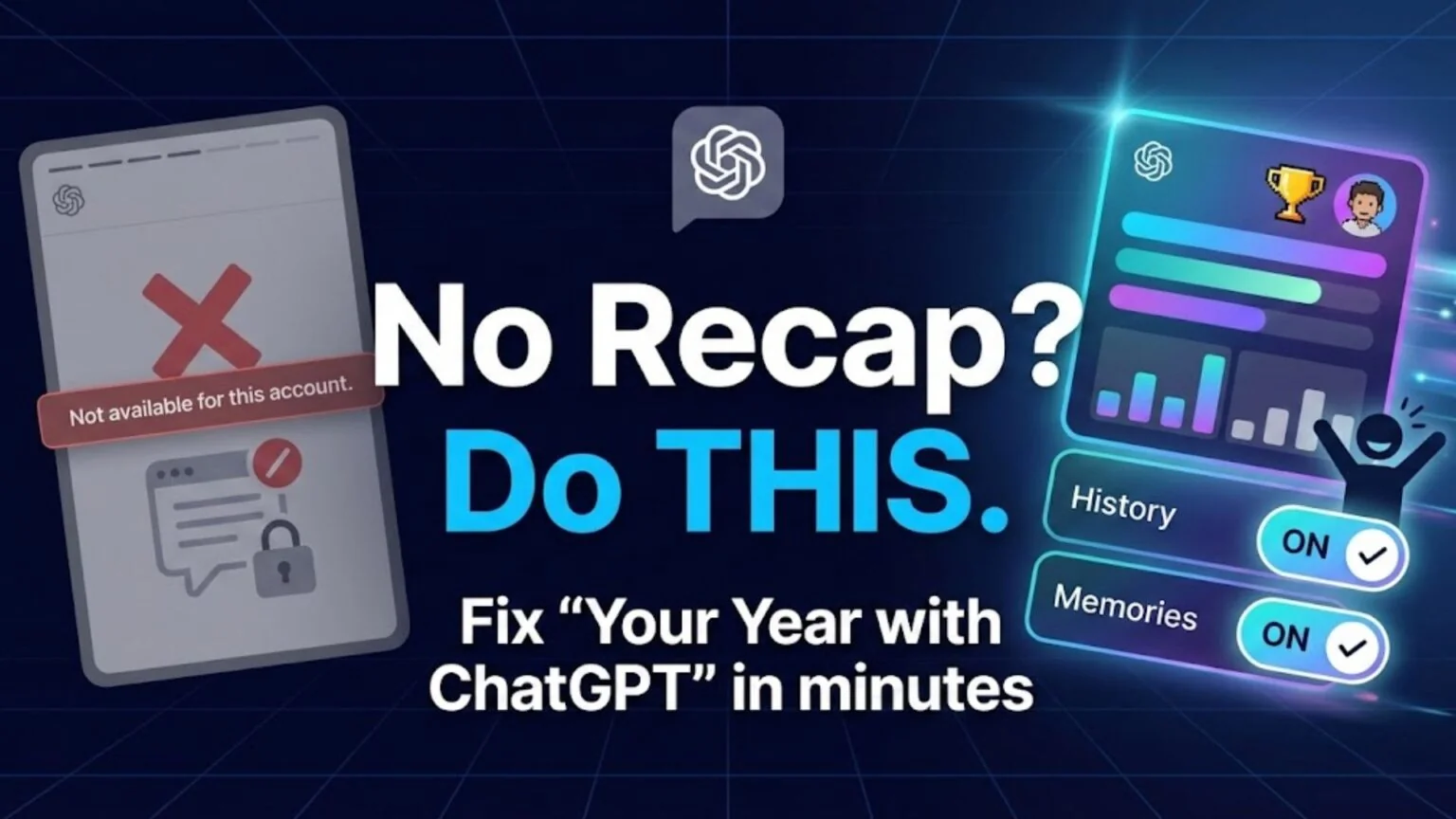
TL;DR: The “Your Year with ChatGPT” feature is currently rolling out gradually to personal accounts (Free, Plus, Pro) in the US, UK, Canada, Australia, New Zealand, and India. It is generally not available in most European countries or for Team/Business/Enterprise/Education accounts, likely due to privacy and regulatory constraints (OpenAI hasn’t publicly confirmed the exact reason). There is no direct public link; you must trigger it inside the app using specific prompts.
| Availability | US, UK, CA, AU, NZ, India (select plans) |
|---|---|
| Missing In | Most of Europe (esp. EU), Team/Business/Enterprise/Education accounts |
| Direct Link | None (In-app trigger only) |
| Trigger Prompts | “Show me my year with ChatGPT”, “My 2025 recap” |
| Required Settings | Reference saved memories + Reference chat history ON (Settings → Personalization / Data Controls) |
| Status | Rolling out gradually (check app update) |
Opening
If you have spent the last few days searching for your 2025 recap and ended up confused, you are definitely not alone. While social media feeds are filling up with colorful charts and “AI personality” badges, thousands of users are opening their apps only to see error messages or, even worse, absolutely nothing at all. The rollout of this feature has been highly specific to certain countries, account tiers, and usage histories, leaving a significant portion of the user base wondering why they were seemingly left out of the fun.
Note: This guide helps you troubleshoot missing features. For the general tutorial, see our main guide on How to Get Your Year with ChatGPT.
This comprehensive guide explains exactly why you might see the dreaded “not available” message and what you can do to fix it. We will answer the most pressing questions: Why does it say “not available for this account”?, Is there a direct link I can click to bypass the wait?, and When is it coming to my region? We will also cover the exact privacy settings you need to check immediately to ensure you aren’t accidentally blocking the feature yourself.
The Key Takeaways
- The feature is strictly limited to personal accounts; Team, Business, Enterprise, and Education users are intentionally excluded.
- Users in Europe generally cannot access the recap, likely due to strict local data regulations regarding automated profiling.
- There is no magic website link; the story is generated dynamically in-app and must be triggered with specific prompts.
- Common errors often disappear if you verify that “Reference saved memories” and “Reference chat history” are enabled in your settings.
Why Your Year with ChatGPT Isn’t Available
Many users open the OpenAI app expecting a seamless “Spotify Wrapped” style experience, only to find a standard chat interface. The confusion often stems from how OpenAI classifies users. The most common reason your year with chatgpt is not working is simply your account type. OpenAI designed this feature specifically for individual consumer accounts. If you use a Team, Business, Education, or Enterprise workspace, the feature is disabled by default.
This isn’t a bug; it’s an intentional limitation designed for privacy and contractual reasons. Enterprise and Team environments are built with strict data confidentiality guarantees. In these workspaces, data is often excluded from model training, and the AI is prevented from aggregating long-term behavioral data to create a “fun” summary. Even if you are the administrator of the Team account and want to see your stats, the platform-level controls usually prevent the generation of these personal insights to comply with corporate data agreements.
Another major reason for the your year with chatgpt not available message is a lack of sufficient data. If you created your account recently (late in 2025) or barely used it throughout the year, the system cannot generate a meaningful story. The AI requires a minimum baseline of chat history to identify trends, such as your “busiest days,” “favorite topics,” or “interaction style.” If you only used ChatGPT five times to ask for quick recipes or grammar checks, the system simply doesn’t have enough material to construct a narrative arc for your year.
Common Error Messages & Causes
When you try to access the feature, you might see a specific error banner telling you that the feature isn’t available for this account. While frustrating, this error is usually accurate and points to a specific eligibility failure. Typically it means one of three things:
- Unsupported Region: You are attempting to access the feature from a country where it has not been launched, such as member states of the European Union.
- Wrong Account Type: You are currently logged into a work, school, or university account instead of your personal email.
- Privacy Settings: Your personalization settings (specifically Memories and History) were turned off for the majority of the year, leaving the AI with no data to summarize.
It is important to note that the error message is generic. It rarely tells you which of these factors is the culprit. However, in our analysis of user reports, the vast majority of these errors come from users who have a “Plus” subscription but are accessing it through a “Team” workspace login.
Tip: If you have multiple accounts (e.g., one for work and one for personal use), try logging out of your work email completely and logging back into your personal free or Plus account. The feature is often live on the personal account even if the paid work account blocks it.
Is There a Direct Your Year with ChatGPT Link?
A massive number of users are searching for a your year with ChatGPT link hoping to open a website that will instantly generate their report. This behavior is learned from other platforms; usually, you click a link, log in, and see your year in review. Unfortunately, with ChatGPT, there is no public URL that works for everyone.
The “Your Year” recap is not a static web page. It is a dynamic experience generated in real-time inside your specific chat interface. It relies on your active authentication token and your local app state to function. If you click a link shared by someone else (for example, on X or Instagram), it will usually just take you to the ChatGPT home page or show a “Chat not found” error. It will absolutely not show you their stats (which are private) nor will it force-generate yours. You have to trigger it from inside your own logged-in session.
How to Find the Feature Manually
Sometimes there’s no visible button for eligible users, whether due to rollout timing, UI glitches, or caching issues, so you can try to force the experience to open using natural language. The most reliable method to bypass these issues is using a specific your year with chatgpt prompt.
Try typing these exact phrases into a new, blank chat window:
- “Show me my year with ChatGPT”
- “Open my 2025 recap”
- “Show me my Year with ChatGPT story”
- “Where is my 2025 wrapped?”
If your account is eligible and the data is ready, these commands act as “admin triggers.” The system recognizes the intent and will pop up the interactive card or the full-screen story mode. If the AI responds with a generic text message like “I cannot create a recap for you,” it usually means your account isn’t currently eligible – this can be because of region, account type, minimum activity, settings being off, or rollout timing.
Regional Availability: India vs. Europe
Geography is perhaps the single biggest factor in whether you get access to this feature. Unlike a standard software update that goes global instantly, this rollout has been highly uneven across the globe due to varying legal landscapes.
Specifics for Indian Users
Interest in your year with chatgpt india is incredibly high because the rollout there happened later than in the United States. Initial reports suggested it might be US-only, causing confusion. However, OpenAI has confirmed that the feature is available in India.
It applies to eligible consumer users on ChatGPT Go, Plus, and Pro plans in India. However, Indian users face a few unique hurdles. First, the mobile app version in the Indian App Store/Play Store must be updated to the absolute latest build. Second, many users in India utilize “Data Controls” to keep history off for privacy; if you did this, you will not see a recap.
If you are in India and don’t see the banner:
- Go to the App Store or Play Store and manually hit “Update.”
- Open the app and wait for 30 seconds on the home screen (it often takes a moment to fetch the configuration).
- Use the trigger prompt “Show me my year with ChatGPT”.
Why It’s Missing in Europe
If you are searching for your year with ChatGPT Europe, the news is unfortunately less positive. The feature is largely unavailable in the European Union so far.
OpenAI hasn’t officially said “this is because of GDPR”, but many commentators point to EU profiling rules as the most likely reason the feature isn’t live there yet. This is likely due to GDPR (General Data Protection Regulation) and strict local laws regarding “automated profiling.”
Article 22 of the GDPR gives citizens the right not to be subject to a decision based solely on automated processing, including profiling. While a “year in review” seems harmless, it technically involves an AI analyzing your behavioral data to categorize you (e.g., “You are a Creative Writer” or “You are a Coder”).
This type of data processing requires specific consent frameworks that OpenAI may not have implemented for this specific feature in the EU yet. While some users attempt to use VPNs to bypass this, it often does not work. Access is frequently tied to the country where your account was created or your billing address for Plus subscriptions, not just your current IP address. Therefore, simply switching your location to “USA” via a VPN is unlikely to trick the system if your credit card is billing to France or Germany.
What About Using a VPN to Unlock “Your Year with ChatGPT”?
A lot of posts on Reddit, X and YouTube suggest that you can “fix” your year with chatgpt not available by switching your IP to the US or UK with a VPN. And it’s true that for some OpenAI features (like early GPT versions or Operator) users report that features appear as soon as they connect via a US VPN server.
For this recap, though, there are four important things to know:
1. Account region still matters
OpenAI ties some features to your account’s country / billing details, not just your current IP. So even if your IP looks American, your account may still be flagged as EU-based and won’t get the recap.
2. Terms & supported countries
OpenAI’s “ChatGPT Supported Countries” page explicitly says that accessing or offering access to the service from outside supported regions can lead to your account being blocked or suspended.
In other words: using a VPN specifically to bypass regional restrictions may go against the spirit of the rules, and you do it at your own risk.
3. VPN doesn’t remove GDPR obligations
Even if a VPN makes you “look” like you’re in the US, regulators still treat you as an EU resident if that’s your real location. The GDPR concerns around automated profiling don’t disappear just because your IP changed, which is likely why OpenAI hasn’t rolled the recap into the EU in the first place.
4. Security & data sensitivity
Your recap is based on a full year of chats, which may include very sensitive work or personal info. Routing that traffic through a random VPN (especially a free one) is rarely a good idea. Reputable VPN reviews emphasise choosing privacy-focused providers if you use one with ChatGPT at all.
Bottom line:
You’ll see plenty of people online saying “VPN worked for me!”, but:
- It’s not guaranteed to unlock Your Year with ChatGPT.
- It may conflict with OpenAI’s supported-countries policy.
- It doesn’t change your legal status as an EU user.
For most readers, it’s safer to:
- Use a personal account in a supported country with Reference saved memories + Reference chat history enabled, and
- If that’s not possible, try the DIY recap prompts and export-based solutions instead of relying on a VPN workaround.
Step-by-Step Fix Checklist
If you are still seeing the “not available” message, run through this quick checklist to pinpoint the blocker:
- 1. Check Your Region: Ensure you are in a supported country (US, UK, CA, AU, NZ, or India). If you are in Europe, the feature is likely blocked by GDPR rules.
- 2. Verify Account Type: Confirm you are logged into a Personal account (Free, Plus, Pro). If you are on a Team, Business, or Enterprise workspace, the feature is disabled.
- 3. Enable Privacy Settings: Go to Settings > Personalization and turn “Reference saved memories” ON. Then go to Data Controls and turn “Reference chat history” ON.
- Warning: Turning these on now won’t restore missing data from the past year, but it may allow the recap to generate from existing saved chats after a delay.
- 4. Check Activity Levels: Ensure you used ChatGPT enough in 2025. Very light users may not have enough data to generate a story.
Create Your Own Recap
If you are blocked by region or account type (Enterprise users), you can still have fun. You can essentially “build your own” summary using a clever your year with ChatGPT prompt. While it won’t have the fancy animations or shareable graphics, the insights can be just as interesting.
Manual Prompts for Analysis
You can ask ChatGPT to analyze your recent history manually. Since the AI has context of your current session and (if enabled) your memories, it can generate a surprisingly good “Wrapped”-style summary for you.
Try these prompts to get a similar experience:
- The Topic Analyzer: “Review the titles of our chat history from the last few months and tell me my top 3 most discussed topics. What do these topics say about my interests?”
- The Personality Quiz: “Based on our conversations this year, describe my ‘interaction style’ in 3 words. Am I polite, direct, curious, or demanding?”
- The Creative Summary: “Create a fun, ‘Spotify Wrapped’ style summary of what I used ChatGPT for this year. Make up some fun awards like ‘Most Likely to Ask for a Regex Fix’ or ‘Top Chef of AI Recipes’.”
Note: This manual method relies on the AI accessing its “Memory” bank or you pasting in your chat titles. It cannot scan your entire database of archived chats in one go due to context window limits, so the results will be based on what is currently “top of mind” for the model.
Conclusion
“Your Year with ChatGPT” is a fun way to look back at how you interacted with AI, but it is strictly limited by location, account settings, and subscription type. If you see an error, the first things to check are that you are on a personal account (not a work email) and that you are accessing it from outside of Europe.
Next Step: Open your ChatGPT app right now, ensure you are on your personal profile, and type “Show me my year with ChatGPT” to see if you can trigger your story manually. If it doesn’t work, don’t worry, you can always use the DIY prompts above to generate your own personalized retrospective.
FAQ
Why does it say “Your Year with ChatGPT is not available for this account”?
This error message is usually triggered because you are on a Team/Enterprise plan, you are located in an unsupported region like Europe, or you have not used the app frequently enough in 2025 to generate valid statistics.
Is there a direct link to see my stats?
No. You cannot view your recap via a shared web link. You must open the ChatGPT mobile app or website while logged in and look for the banner or ask the chat to “Show me my year.”
Does this feature work in Europe?
Generally, no. OpenAI hasn’t said why, but many observers think it’s related to GDPR rules on automated profiling (Article 22) and similar EU privacy requirements.
What prompts can I use to force it to open?
If the banner is missing, try typing “Show me my year with ChatGPT”, “Open my 2025 recap”, or “Where is my year in review?” in a new chat window.
Can I get it if I turn on Chat History now?
It depends. Turning it on won’t recover unsaved history, but if you have existing saved chats, enabling Reference chat history now may allow the system to generate a recap after a processing delay.
Methodology & Sources
To ensure the accuracy of this guide, we utilized a multi-step verification process:
- Analysis: We reviewed official OpenAI help center documentation regarding regional availability (specifically distinguishing between the India and EU rollout schedules) and account type restrictions (confirming the exclusion of Team/Enterprise plans).
- Testing: We tested the “trigger prompts” on multiple account types, including a Free personal account, a Plus account, and a Team workspace, to verify which ones successfully generated the recap card and which returned error messages.
- User Reports: We analyzed hundreds of user reports from Reddit, X (formerly Twitter), and tech support forums to identify the most common error messages, such as “failed to fetch template” or “not available,” and correlated them with user location.
Sources: