Create
Make documents and slides
Ask for a PowerPoint, Word, Excel or PDF file and get a real file you can open, edit and share.
Fello AI can hand you a finished file instead of text to copy. Describe what you need, or start from your own notes or a PDF, and the reply comes with a PowerPoint, Word, Excel or PDF file you can open in the usual apps.
Ask for a file
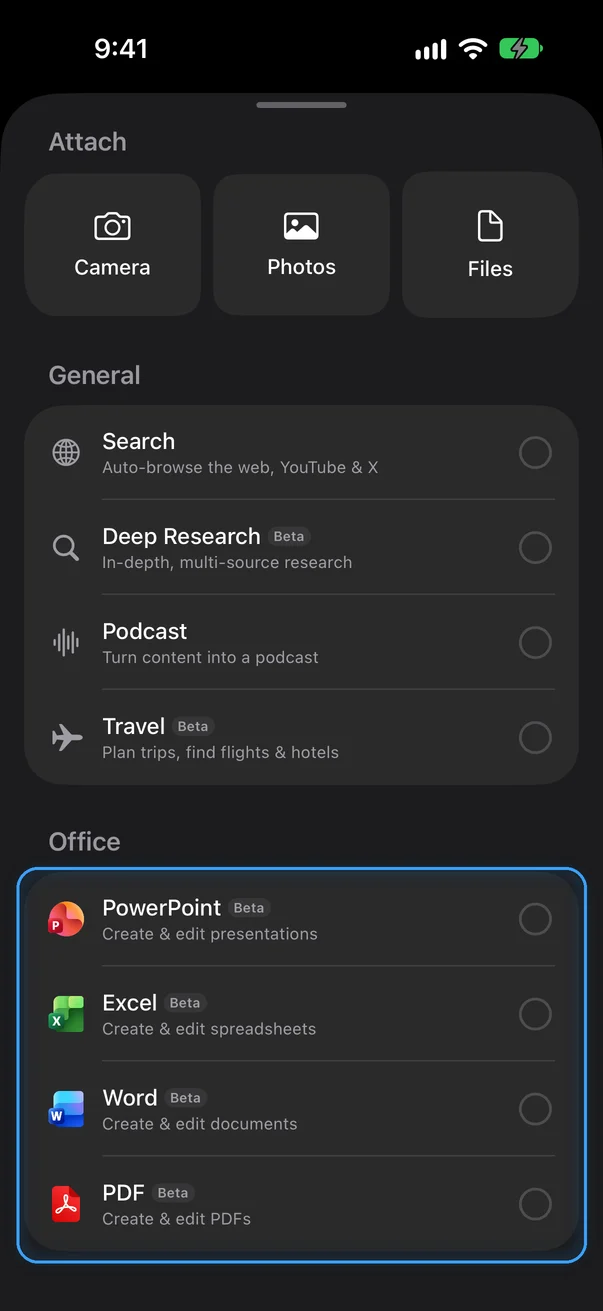
Often you can simply ask, for example "Make a 6-slide presentation about…". To be sure Fello AI makes a file, turn on the skill for it first. The Office skills are PowerPoint, Excel, Word and PDF.
- In a chat, click the Skills button in the message box.
- In the Office section, turn on the skill you want, such as PowerPoint.
- Describe the file you want and send your message.
- Wait while Fello AI works. You'll see a status like "Creating presentation:", "Creating document…" or "Creating spreadsheet…".
- In a chat, tap +.
- Under Office, tap the skill you want, such as PowerPoint.
- Describe the file you want and send your message.
- Wait while Fello AI works. You'll see a status like "Creating presentation:", "Creating document…" or "Creating spreadsheet…".
Here are a few requests to try:
- Make a 6-slide presentation about our Q3 results from this PDF
- Create a monthly budget spreadsheet with categories and totals
- Write a one-page cover letter as a Word document
- Turn these meeting notes into a PDF summary
Open, save and share it
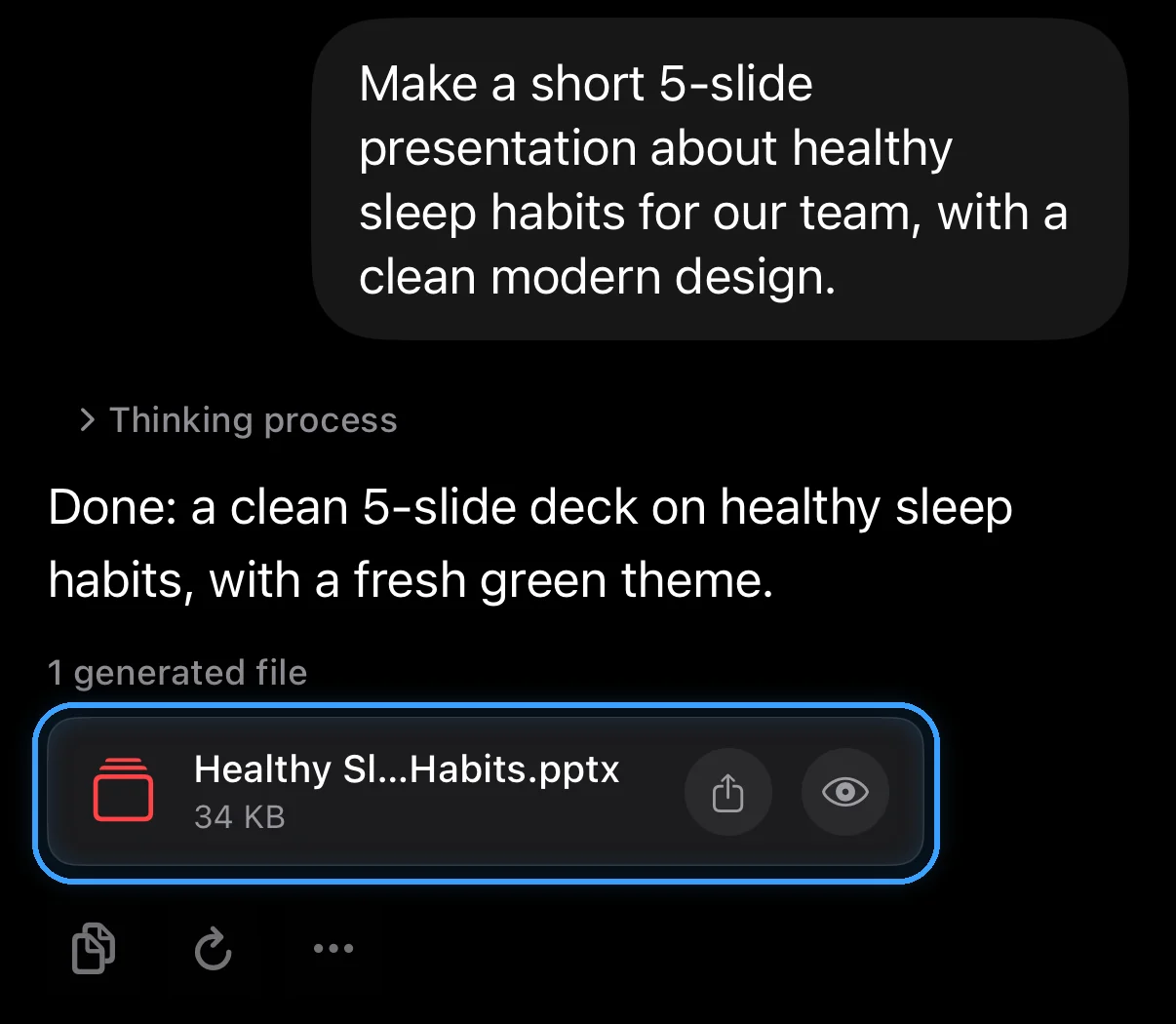
When the file is ready, it appears as a card in the reply.
- Click the card to preview the file.
- To keep a copy, click the download arrow (Save As…) and choose where to save it.
- Tap the card to preview the file.
- Tap Share, then share the file or download it.
Every file Fello AI makes also appears in Library. Filter by From: AI to find them later.
Make changes
You don't need to start over to fix something. Reply in the same chat and ask for the change, like "make slide 3 shorter" or "add a column for totals". Fello AI updates the file.
You can also turn an answer you already have into a file. Open the reply's menu, choose Turn into…, then pick PDF (.pdf), Document (.docx) or Presentation (.pptx).
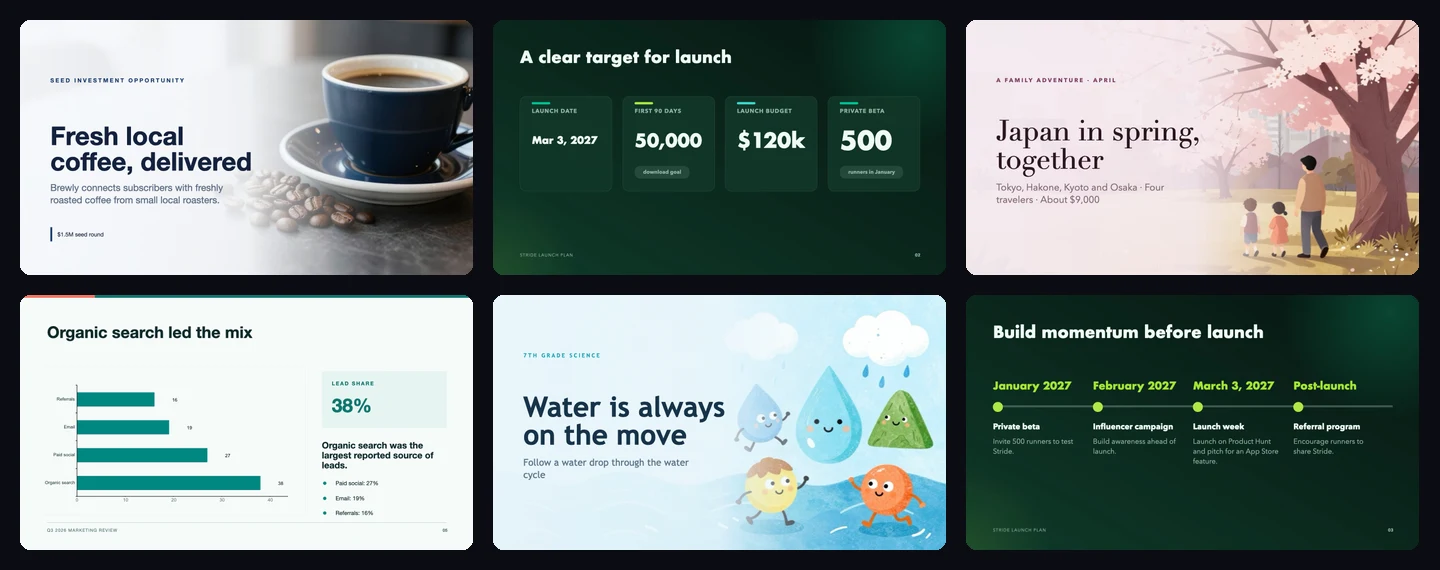
Slide decks got better in November 2026: they now get a design that fits the topic, with better pictures. See what's new in slide design.
Good to keep in mind
- Subscribers only. The Office skills are in Beta and need a subscription.
- Check the numbers. Look over the totals and formulas in a spreadsheet before you rely on them.
- Files stay in Library. If you can't find a file in the chat, look in Library.
