Ask
Chat with PDFs and files
Add a PDF, Word, Excel or PowerPoint file and ask Fello AI to summarize it, answer questions or pull out what matters.
Got a long contract, report, manual or spreadsheet and no time to read all of it? Add the file to a chat and ask Fello AI about it. You get a summary, an answer to a specific question, or just the numbers and dates you need.
Add a file
- Open a chat.
- Click + (Attach files) next to the message box and choose your file. You can also choose File → Attach Files… (⌘O).
- Or drag the file onto the chat, where it says Drop a file to attach, or paste it with ⌘V.
- Type your question and send it.
In another app, you can also use the Share menu and choose Fello AI.
- Open a chat.
- Tap +, then tap Files. (Photos and Camera are in the same menu.)
- Choose your file.
- Type your question and send it.
In another app, you can also open the share sheet and choose Fello AI.
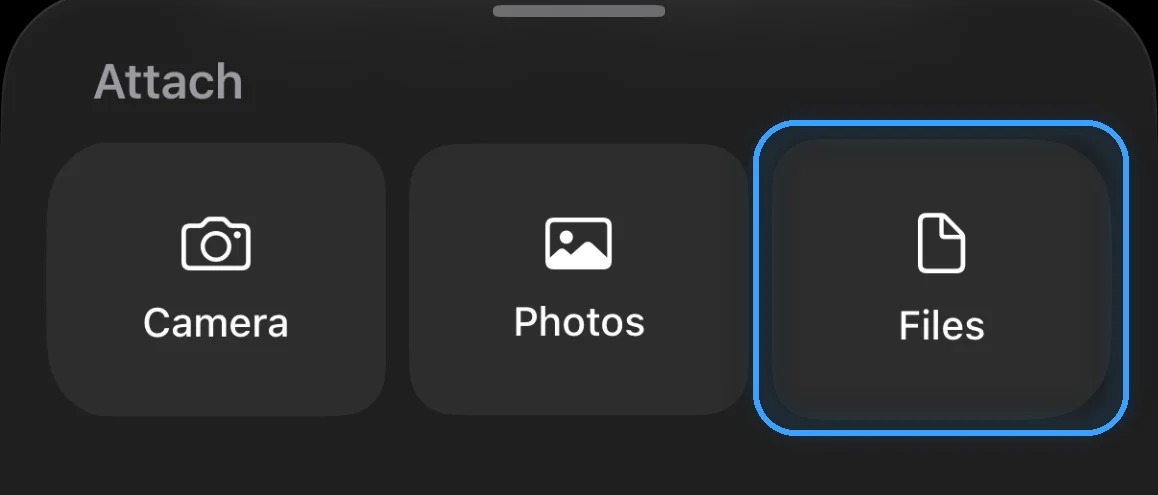
Fello AI reads PDF, Word (doc, docx, Pages), Excel (xls, xlsx, Numbers) and PowerPoint (ppt, pptx, Keynote) files. It also reads text, CSV, Markdown, JSON, code files and images. It can't take audio files.
While it works, you'll see a status like "Reading the file…". Your file shows as a card on your message. On Mac, click the card to preview it. On iPhone, tap it.
Ask about it
The file stays in the conversation, so you can keep asking follow-up questions without adding it again. Start broad, then get specific.
- Summarize this in 5 bullet points
- What are the deadlines and who is responsible?
- Find every number about revenue and put it in a table
- Explain section 4 in plain English
Find your files later
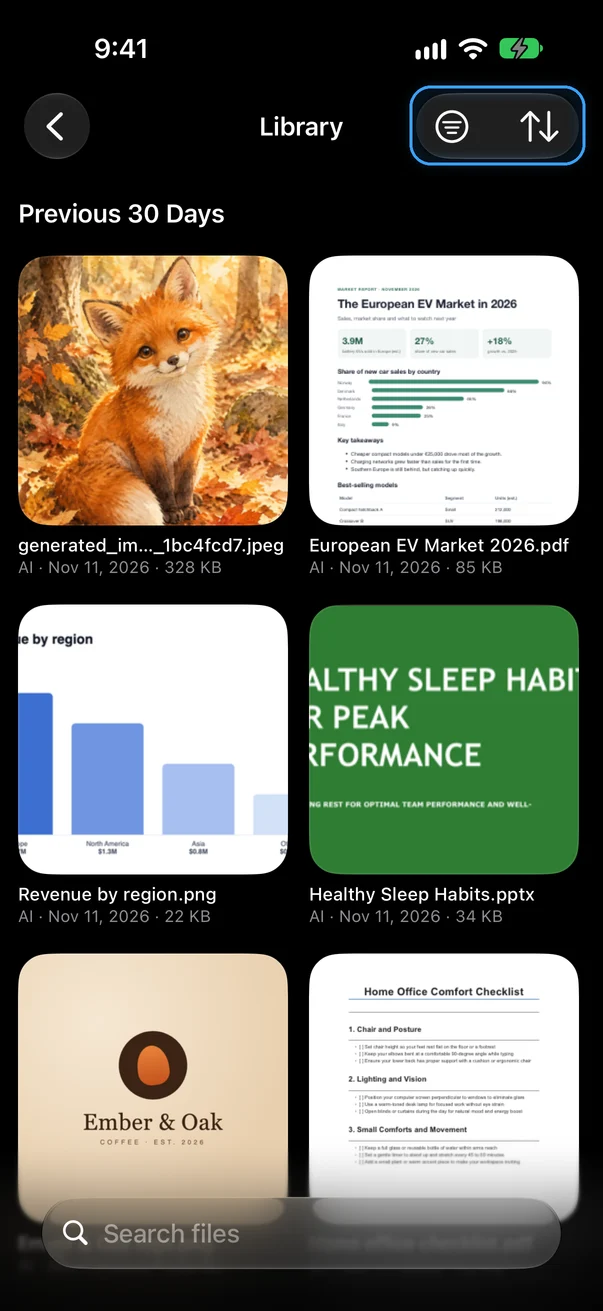
Open Library in the sidebar to see every file from all your chats, including the ones Fello AI created. Use Search files to find one by name, or filter by Kind and From.
Good to keep in mind
- Subscribers only. Free users see "Subscription Required" when they try to attach a file.
- Limits. A conversation holds up to 16 files, and earlier files count. Each file, and each message, can be up to 22 MB.
- Check what matters. Compare important numbers and quotes against the original document before you rely on them.
