Mac
Ask from any app with ⌥ Space
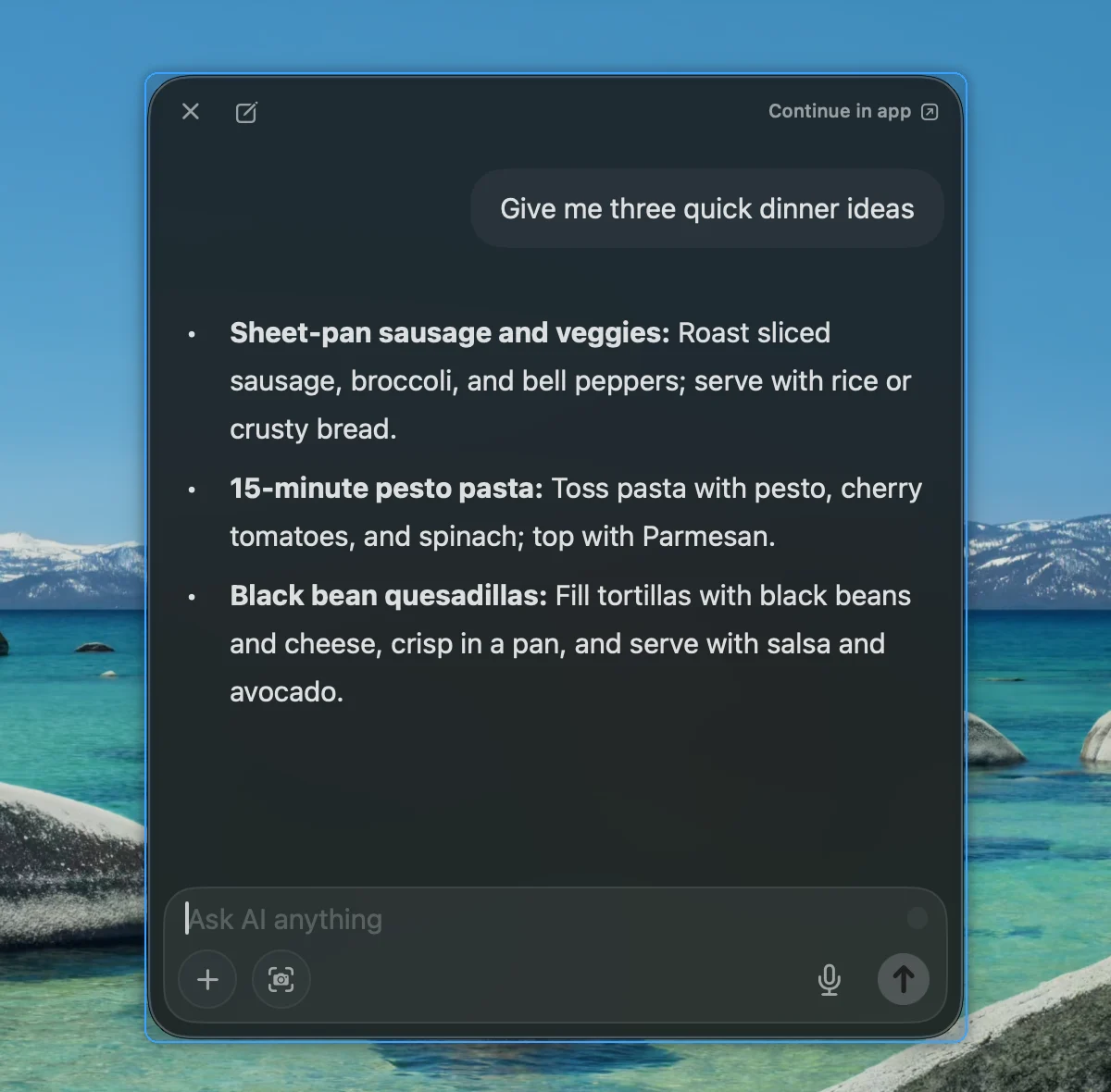
Press ⌥ Space in any app to open the Chat Bar, ask a quick question, and move the chat to the main window when you need more room.
On this page
Open the Chat BarAsk about what's on your screenContinue in the main windowChange the shortcutGood to keep in mindThe Chat Bar is a small window that opens on top of whatever you're doing. You can ask a quick question without switching apps, then get back to work.
Open the Chat Bar
- In any app, press ⌥ Space (Option + Space). The bar opens with Ask AI anything.
- Type your question and press Return. The bar grows to fit the answer.
- Press ⌥ Space again to hide the bar, or press Esc to close it.
You can also click the Fello AI icon in the menu bar. Right-click the icon for Open Fello AI, Open Chat Bar, Model, Settings… and Quit.
Ask about what's on your screen
The Chat Bar doesn't read selected text on its own. To ask about something you're looking at, send a screenshot of it, or paste the text into the bar.
- In the Chat Bar, click Screenshot a region of your screen.
- Drag to select the area you want. Press Esc to cancel.
- Type your question and press Return. The screenshot goes with it.
The bar also has buttons to attach files and to dictate your question (⇧⌘D).
- What does this error message mean?
- Summarize this email in two sentences.
Continue in the main window
When a quick question turns into a longer conversation, click Continue in app. Fello AI opens a new chat in the main window with your text and files already in it.
Change the shortcut
If ⌥ Space clashes with another app, choose your own.
- Open Settings → General.
- Under Global Shortcuts, click the Chat Bar shortcut: field.
- Press the new combination. It must include ⌘, ⌥ or ⌃. Click ✕ to remove the shortcut.
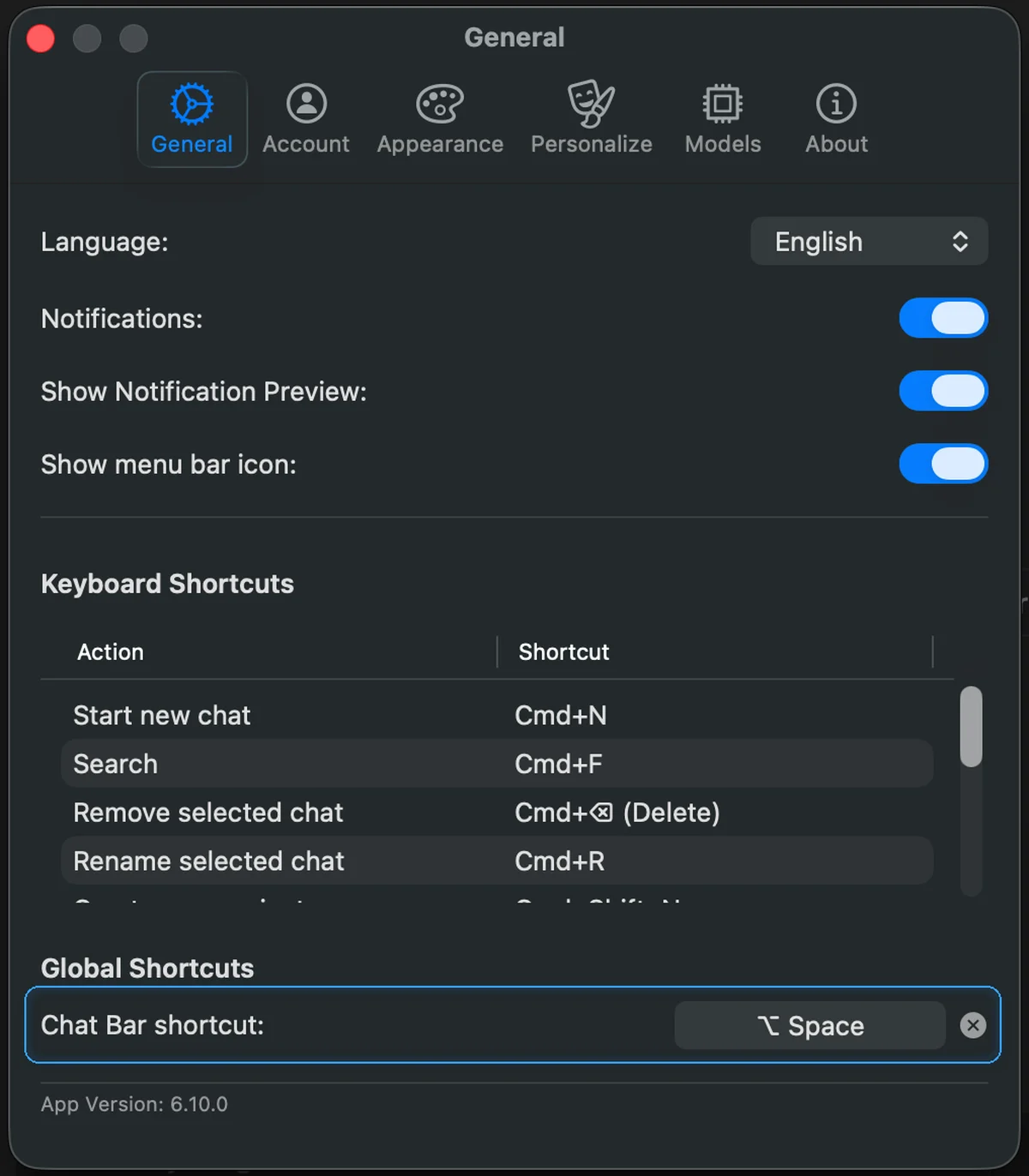
To hide the menu bar icon, turn off Show menu bar icon: in Settings → General. The shortcut still works.
Good to keep in mind
- Subscribers only: attaching files, the screenshot button and dictation need a subscription.
- Fresh start: if you close the bar for more than 5 minutes, the next time you open it starts a new chat.
- Pick the bar's model: right-click the menu bar icon and choose Model.
